

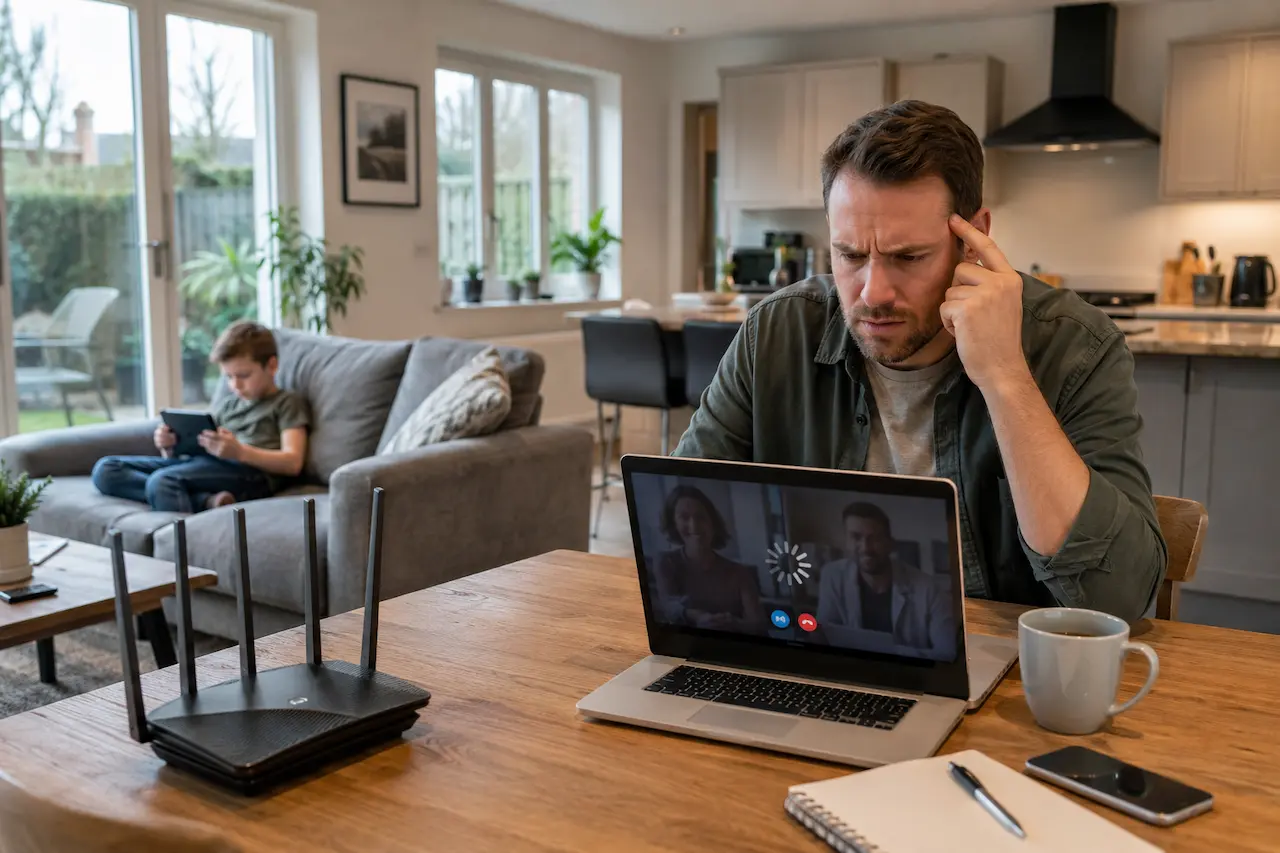
Slow home WiFi is the complaint we hear more often than any other, and it almost never comes down to one single cause. Full signal bars on your phone do not mean you have a fast, reliable connection. That gap between what the bars show and what you actually feel every day is exactly where the real problem hides.
We have spent years diagnosing this exact issue in homes across Southend on Sea and the wider Essex area. This guide walks through the seven real causes behind slow home WiFi, and what genuinely fixes each one, rather than papering over it for a week.
What Slow WiFi Is Actually Telling You
Slow WiFi is a symptom. It is not the disease. When a connection drags, most people blame the internet provider first, and in our experience that is rarely where the fault sits. I have seen firsthand that the broadband coming into the house is usually fine. What breaks down is everything that happens to that signal once it enters your home: the router placement, the walls it has to pass through, and the number of devices demanding a share of it at once.
Treating slow WiFi as a single problem is why so many fixes fail. A new router alone will not solve a signal that has to fight through three internal walls. A faster broadband package will not solve a network that twenty devices are already overloading. Understanding which of the following causes applies to your home is the first real step toward fixing it properly.
Seven Real Causes Behind Slow Home WiFi
Once you know what to look for, most WiFi problems stop feeling random. Here is what we actually find when we walk into an Essex home with a slow connection.
1. Too Many Devices Competing For One Signal
A single router can only manage so many active connections before performance starts to drop. Phones, laptops, smart TVs, games consoles, and voice assistants all pull from the same limited pool of bandwidth. In a modern home with fifteen or twenty connected devices, one router doing all the work is rarely enough.
2. The Router Is Sitting In The Wrong Place
Routers are often pushed into a cupboard, tucked behind the television, or left wherever the broadband cable happens to reach. Signal strength drops sharply with distance and with every obstacle in its path. A router in the wrong spot can leave entire rooms with a barely usable connection, no matter how good the broadband package is.
3. Thick Walls And Older Building Materials
Many homes across Essex, particularly period properties in Southend and the surrounding towns, were built with solid brick and plaster that WiFi signals struggle to pass through cleanly. Newer extensions with insulated walls cause the same problem. This is one of the most common and most overlooked causes of a weak connection in older properties.
4. Interference From Neighbouring Networks
If you live in a terrace, a flat, or a densely built street, your router is competing for the same wireless channels as every neighbouring network within range. This congestion is invisible until you actually look for it, and it quietly degrades performance throughout the day, especially in the evening when everyone is online.
5. An Old Or Underpowered Router
Routers supplied by broadband providers are built to a price point, not to perform. A router bought or supplied more than four or five years ago is very likely holding your whole network back, regardless of how fast your internet package actually is.
6. Bandwidth Heavy Devices Running Unmanaged
Modern homes run far more than laptops and phones. Streaming boxes, smart doorbells, security cameras, and game consoles all draw continuous bandwidth in the background, often without you noticing. We cover how to bring these devices under proper control in our guide to smart home devices and home automation.
Common examples we see pulling bandwidth without anyone realising it:
- Continuous recording security cameras
- Smart TVs left permanently connected to streaming apps
- Multiple smart speakers syncing constantly
- Games consoles downloading updates in the background
- Video doorbells sending footage to the cloud
7. No Real Network Infrastructure Behind The WiFi
This is the cause that sits underneath most of the others. A single router doing every job, acting as the switch, the access point, and the firewall all at once, was never designed to serve a modern connected home. Fixing the symptom without fixing this underlying gap is why so many WiFi problems keep coming back.
A Real World Example From A Southend Home
A family in Southend on Sea called us convinced their broadband provider had let them down. Video calls kept freezing, the smart TV buffered constantly, and their WiFi doorbell dropped out several times a day. The broadband itself tested perfectly.
The real issue was a single router positioned in the hallway, trying to serve a three storey house that had recently added CCTV cameras streaming continuously in the background. As we explain in our home CCTV installation guide, cameras like these quietly consume a meaningful share of available bandwidth, and the router simply had nowhere else to send it fast enough. A properly positioned access point and a managed switch solved the whole problem in an afternoon.
How We Actually Fix Slow Home WiFi
We do not start with a router upgrade and hope for the best. We start with a proper survey of your home: where the dead zones are, how many devices you actually run, and what your walls and layout are doing to the signal. From there, we design a setup built around correctly positioned access points and, where needed, the kind of structured cabling and VLAN segmentation covered on our network infrastructure and VLAN page. I always advise clients to fix the infrastructure once, properly, rather than replacing routers every eighteen months and hoping the next one works better.
Simple Checks You Can Try Tonight
Before booking a professional visit, a few quick checks can rule out the easiest causes:
- Restart your router and check if the problem returns within a day
- Count how many devices are actually connected at once
- Move your router to a more central, open position if possible
- Check whether your devices are using the 5GHz band where available
- Note which rooms and times of day the slowdown is worst
If the problem clears up and stays away, you were likely dealing with a temporary overload. If it comes straight back, the cause runs deeper than a quick fix can reach.
When It Is Time To Call In A Professional
If you have tried the basics and the slow home WiFi problem keeps returning, the issue is almost certainly structural rather than something a setting change will fix. We go into much more detail on this in our guide to home network infrastructure, covering exactly how VLANs and structured cabling solve the problems a single router cannot. Reaching out to HomeIT Services for a proper assessment at this point saves you months of frustration and wasted money on equipment that was never going to solve the real issue.
Why Choose HomeIT Services
We approach every WiFi problem as an engineer first and a salesperson never, which is why homeowners across Essex keep calling us back for every technology issue that follows, and you can reach us any time through our contact page.
- Thirty plus years of hands on IT experience across Essex homes
- One local engineer from the first call to the final test
- No call centres, no subcontractors, no confusing handoffs
- Transparent pricing agreed before any work begins
- Aftercare included as standard, not charged as an extra
Frequently Asked Questions
Why is my WiFi slow even with fast broadband?
Fast broadband only guarantees a fast connection at the point it enters your home. Everything after that, including router placement, wall thickness, and the number of connected devices, determines what you actually experience in each room.
Will a WiFi booster fix slow WiFi permanently?
A booster can help in specific situations, but it usually treats the symptom rather than the cause. If your underlying network cannot support your home properly, a booster only delays the next slowdown.
How many devices can a normal home router handle?
Most standard routers start to struggle noticeably once fifteen to twenty devices are active at the same time, which is common in homes with several smart devices and multiple family members online.
Does the router brand actually matter?
It matters less than positioning and network design. A premium router in the wrong location will still underperform a mid range router that is properly placed and configured.
How long does it take to fix a slow home WiFi setup properly?
Most home assessments and fixes are completed within a single day, though larger properties or homes needing structured cabling may take longer. We provide an accurate estimate after seeing your actual layout.
Final Thoughts
Slow home WiFi is rarely about your broadband provider. It is almost always about what happens to that signal once it reaches your walls, your devices, and a router with too much to manage on its own. Understanding the real cause, rather than guessing at fixes, is what actually solves the problem for good. If your WiFi keeps letting you down no matter what you try, it may be time to have someone look at the whole picture properly.