

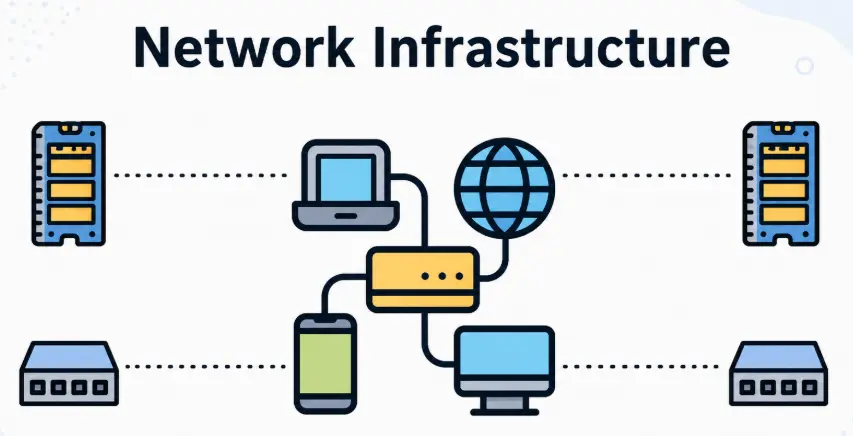
If your WiFi drops in the back bedroom, your smart devices randomly disconnect, or video calls freeze at the worst moment, the problem usually isn’t your internet speed, it’s your network infrastructure. In this guide, we’ll break down two terms homeowners across Essex hear often but rarely get explained properly: VLANs and structured cabling. By the end, you’ll know exactly what they do and whether your home needs them.
What Is Network Infrastructure? (The Basics)
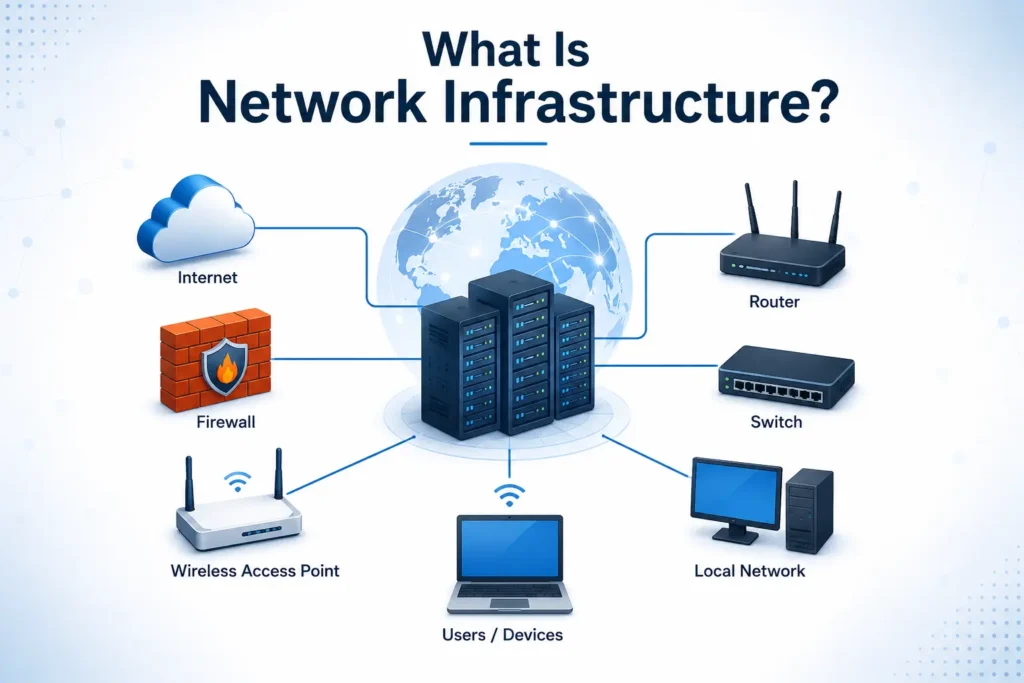
Network infrastructure is everything that makes your internet connection usable throughout your home not just the WiFi signal floating through the air, but the physical and logical systems behind it.
The Core Components
At its simplest, your home network infrastructure includes:
- Router the device that connects your home to the internet and directs traffic
- Switch a hub that lets multiple wired devices connect to your network at once
- Access points devices that broadcast WiFi coverage to different areas of your home
- Cabling the physical wiring connecting everything together
Most homes only have the first item a single router doing all four jobs badly. That’s usually where problems start. If you want the fuller technical picture, our network infrastructure & VLAN service page breaks down how these pieces fit together for a home setup.
Wired vs Wireless — What’s Actually Happening in Your Walls
WiFi is convenient, but it’s shared, congested, and easily disrupted by walls, floors, and even microwaves. A wired connection gives a dedicated pathway between a device and your network with no interference and no competition for bandwidth. Most modern homes use a mix of both wired for stationary, high-demand devices, and wireless for phones, tablets, and anything that moves around.
Why “Just Buying a Better Router” Isn’t Always the Fix
We hear this a lot: “I bought the most expensive router I could find, and it’s still patchy.” A single router no matter how powerful can only broadcast so far and handle so many connected devices before performance drops. If your home is large, has thick walls, or has 20+ connected devices, the fix isn’t a better router. It’s better infrastructure.
Why Modern Homes Need Real Network Infrastructure
Smart Homes Have Changed the Game
Ten years ago, a home network handled a couple of laptops and phones. Today it’s smart locks, video doorbells, thermostats, lighting, robot vacuums, and voice assistants often 20 to 40 devices in an average family home. If you’re building out this kind of setup, our guide to smart home devices and home automation shows how these systems fit into a wider network.
Remote Work & Video Calls Demand Stability
A dropped WiFi signal used to mean a paused Netflix show. Now it can mean a frozen client call or a missed deadline. For anyone working from home regularly, a stable connection paired with secure remote access isn’t a luxury anymore it’s a basic requirement.
Streaming, Gaming & Multiple Users at Once
4K streaming, online gaming, and multiple people on video calls simultaneously all demand consistent bandwidth. Weak infrastructure means someone’s stream buffers the moment someone else joins a call.
What Is a VLAN? (And Do You Need One at Home?)
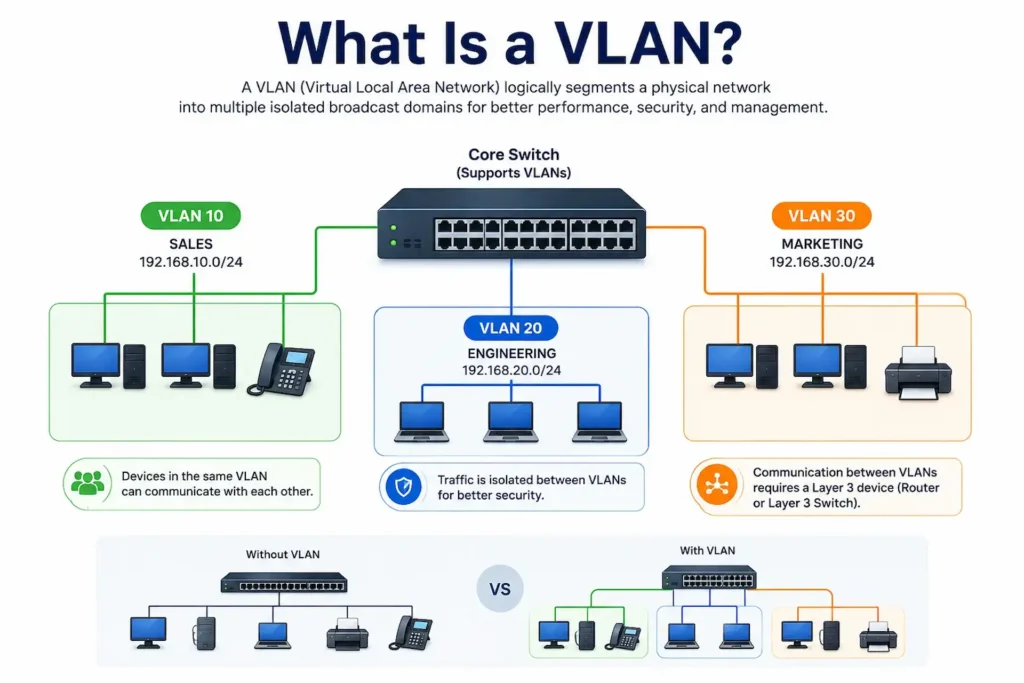
VLAN stands for Virtual Local Area Network. Think of your home network as one room where every device your laptop, your smart plug, a guest’s phone can technically “see” every other device on it. A VLAN builds virtual walls inside that room, creating separate, isolated networks that all run on the same physical hardware, without needing extra cabling or extra routers.
How VLANs Segment Your Network
A typical home VLAN setup might look like:
- Main VLAN laptops, phones, work devices
- IoT VLAN smart plugs, cameras, voice assistants, smart bulbs
- Guest VLAN visitors’ devices, with no access to your main network
Media/VoIP VLAN — smart TVs, streaming boxes, and home VoIP systems
Each operates independently, meaning a compromised smart bulb can’t be used to access your laptop and a guest’s phone can’t see your security cameras.
Real-World Home Use Case: Isolating Smart Devices & Guest WiFi
This is where VLANs earn their keep. Smart home devices are notoriously under-secured many cheap IoT gadgets receive infrequent updates. By isolating them onto their own VLAN, even a compromised device can’t be used as a stepping stone into your main network. Combine this with the protections covered in our internet filtering and parental controls guide, and you get a home network that’s genuinely locked down.
Do You Actually Need a VLAN?
Honestly, it depends. If you have five devices and no smart home tech, a VLAN is overkill. But if you’ve got 15+ connected devices or frequently have guests on your WiFi, a VLAN setup significantly improves both security and performance and it’s mostly configuration rather than new hardware.
What Is Structured Cabling? (And Why It Still Matters in a Wireless World)
Structured Cabling vs Point-to-Point Wiring
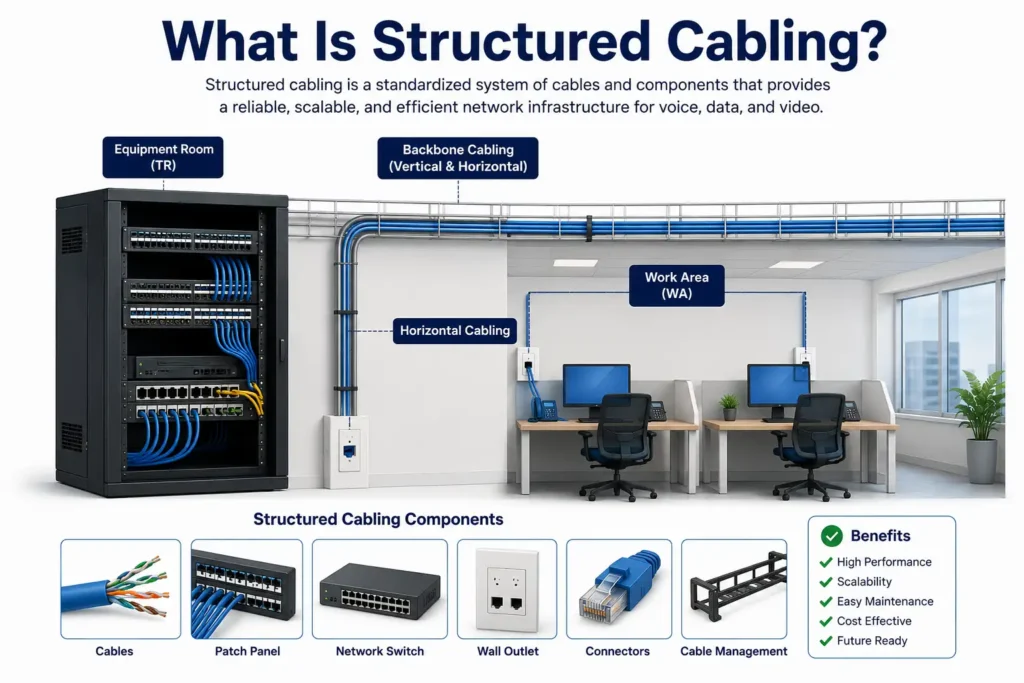
Structured cabling is an organised, planned wiring system cables run from a central point out to fixed locations throughout your home, each properly labelled and terminated. This is the opposite of a tangle of extension cables and powerline adapters, which is hard to troubleshoot or expand later.
Cat6 vs Cat6a — What’s Right for Your Essex Home
- Cat6 supports speeds up to 10 Gbps over short distances, more than enough for most home use
- Cat6a maintains that speed over longer distances with better shielding, worth it if future-proofing
For most Essex homes, Cat6 is a solid, cost-effective choice. If you’re planning a renovation or new build, Cat6a gives more headroom.
Where Structured Cabling Makes the Biggest Difference
- Home office for stable video calls and fast file transfers
- Media/entertainment area for lag-free 4K streaming
- Security system hub cameras and access control systems perform far better wired than wireless
- Central network cabinet where your router, switch, and patch panel live
VLAN vs Structured Cabling — Which Do You Need First?
| Factor | VLAN | Structured Cabling |
| Solves | Security, device segmentation | Speed, reliability, dead zones |
| Cost | Low (mostly configuration) | Moderate to higher (physical install) |
| Disruption | Minimal | Requires cable runs through walls/floors |
| Best for | Homes with many smart devices | Homes with weak WiFi coverage |
If your main frustration is patchy WiFi in specific rooms, start with cabling. If your concern is security and keeping devices separated, start with VLAN configuration. Many homes end up doing both as part of one project.
How to Set Up Home Network Infrastructure — Step by Step
Step 1 — Audit Your Current Network
Walk through your home and note dead zones, count connected devices, and identify where high-bandwidth activities actually happen.
Step 2 — Plan Your Cable Runs
Map out where a central cabinet will sit and which rooms need a wired port. Focus on fixed, high-demand locations rather than wiring every room.
Step 3 — Choose Your Hardware
You’ll typically need a capable router, a managed switch (which allows VLAN configuration), and one or more access points. Not all consumer routers support VLANs — this is often where DIY setups hit a wall.
Step 4 — Configure VLANs for Segmentation
Once your managed switch and router are in place, VLANs are set up through the device’s configuration interface, separating IoT devices, guest WiFi, and main devices.
Step 5 — Test & Optimise Coverage
After installation, test speeds and coverage in every room, checking for dead zones or devices that dropped off during setup.
Signs Your Essex Home Needs a Network Infrastructure Upgrade
- WiFi drops out in certain rooms despite a fast internet package
- Smart home devices randomly disconnect or lag
- Video calls freeze even when only one person is on the network
- You’ve lost count of how many devices are connected
- You’re relying on WiFi extenders or powerline adapters as a workaround
- You’ve never separated guest WiFi from your main network
If two or more of these sound familiar, your infrastructure — not your internet plan — is likely the bottleneck.
Why Essex Homeowners Are Choosing Professional Network Setup
VLAN configuration and structured cabling both involve decisions that are easy to get wrong without experience the wrong switch, a badly planned cable run, or a misconfigured VLAN can cause more problems than they solve. That’s why homeowners across Southend, Chelmsford, and Brentwood are increasingly choosing professional setup over piecing together consumer gear themselves. You can read more about our approach on our Why Us page.
Final Thoughts
Home network infrastructure isn’t just a technical upgrade it’s what determines whether your smart home, work-from-home setup, and streaming actually work the way they’re supposed to. VLANs give you security and control. Structured cabling gives you speed and reliability where it matters most. Most Essex homes benefit from a combination of both.
If you’re dealing with dead zones, laggy smart devices, or planning ahead for more connected devices, it’s worth getting a proper assessment rather than guessing. Get in touch through our contact page and we’ll help you figure out exactly what your home needs.
Frequently Asked Questions
Do I really need a VLAN for my home network?
Not every home does. If you have a handful of devices and no smart home tech, you probably don’t need one yet. But with 15 or more connected devices, security cameras, or smart locks, a VLAN significantly improves both security and performance.
Is structured cabling worth it if I already have good WiFi?
Yes, especially for specific rooms. Even strong WiFi struggles with high-bandwidth tasks when multiple devices compete for the same signal. A wired connection to key rooms removes that competition entirely.
How much does home network infrastructure setup cost in Essex?
Costs vary depending on your home’s size, how many rooms need wiring, and whether VLAN configuration is included. The best way to get an accurate figure is a quick assessment of your specific home.
Can I set up VLANs myself, or do I need a professional?
Technically savvy homeowners can configure basic VLANs on compatible hardware, but most consumer routers don’t support this feature at all. A professional setup ensures your switch, router, and access points are compatible and configured correctly.
What cable type should I use for a future-proof home network Cat6 or Cat6a?
Cat6 is more than sufficient for most homes and more budget-friendly. Cat6a offers better performance over longer runs and stronger interference resistance, worth considering for a full renovation.