
In this guide
- What is an internet installation?
- The main types of home internet connection
- What happens on installation day
- How long does it take, and what does it cost?
- Before the engineer arrives
- What the engineer will not do
- Getting WiFi right after installation
- When a WiFi survey is worth it
- Need help after your installation?
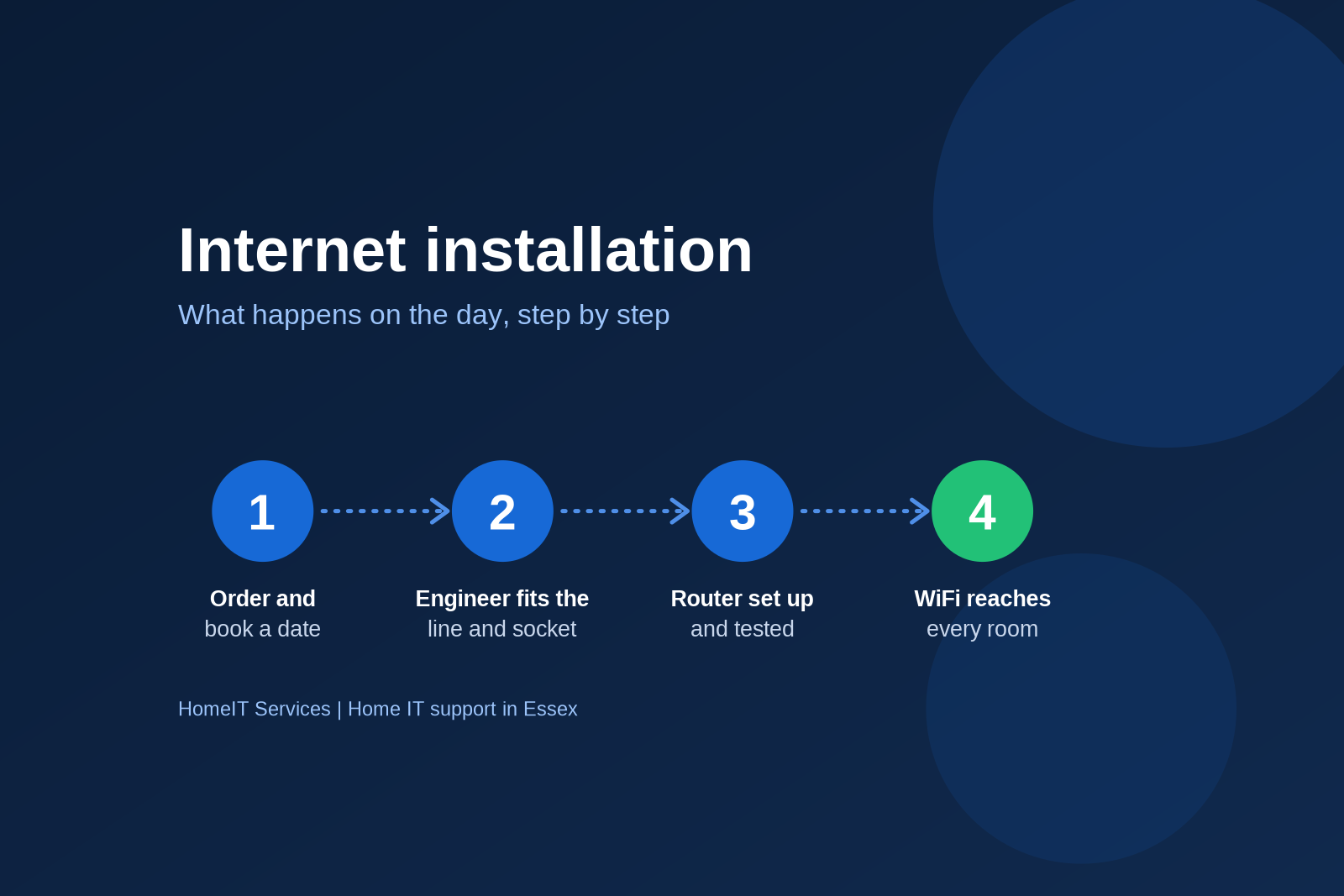
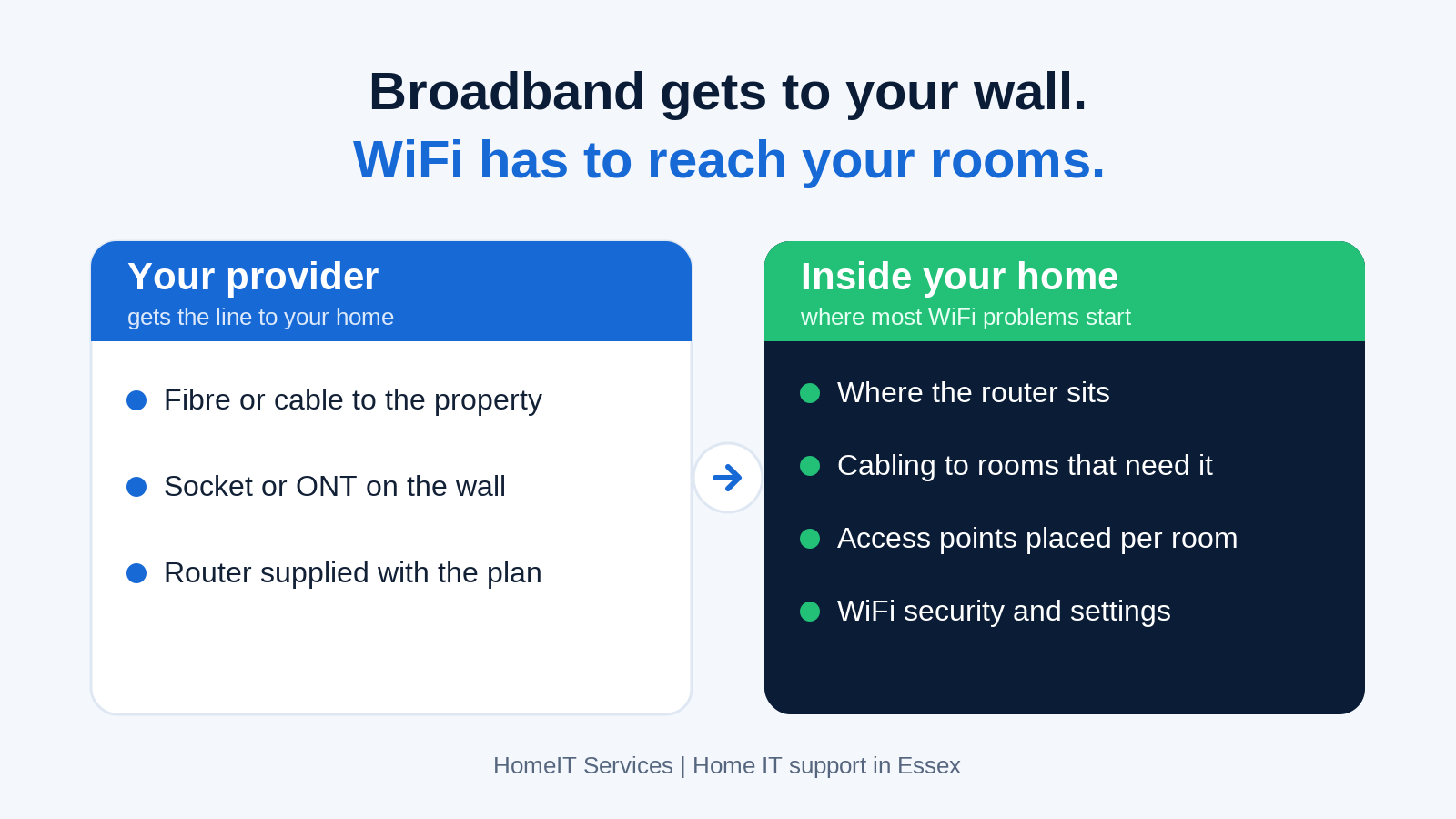
Short answer: an internet installation brings a broadband line into your home and fits a socket or box on the wall, usually in a visit of a few hours. It does not set up WiFi in every room. That part, the router position, cabling and access points, is up to you, and it is where most "my internet is slow" problems begin.
If you have just moved house, or you are switching to full fibre, you will be offered an internet installation. Many people expect the engineer to leave them with perfect WiFi everywhere. In practice, the engineer’s job stops at the wall. This guide explains what actually happens, what it costs, and what to sort out before and after the visit.
What is an internet installation?
It is the work of connecting your home to your provider’s network, so you receive broadband. Depending on the technology, that can mean running a new fibre cable to the property, activating an existing phone line, or connecting to a cable network. Once the line is live, a router turns it into the WiFi and network cables you use inside the house.
The main types of home internet connection
- Full fibre (FTTP). Fibre runs all the way to your home and ends in a small box called an ONT (optical network terminal). This is the fastest and most future-proof option, and it is widely being rolled out across the UK.
- Part-fibre (FTTC). Fibre runs to the street cabinet, then your existing copper phone line carries the signal into the house. Speeds depend on how far you are from the cabinet.
- Cable. Delivered over a separate cable network in areas where it is available.
- 4G and 5G home broadband. No cable at all, just a mobile signal into a special router. Useful where fixed lines are poor.
If you are on the old phone line, note that the national landline network is being switched off. Read our guide to the UK landline switch-off and what to do to see how it affects your broadband and phone.
What happens on installation day
- Booking. You order a package and agree a date. Timescales vary by provider and area, and often take a couple of weeks. A brand-new line or extra groundwork can take longer.
- The engineer visits. For full fibre, they bring the cable to the outside of your home, usually along an existing pole or duct, and agree with you where it enters the property.
- The socket or box is fitted. A small hole is drilled through the wall, and an ONT or master socket is fitted inside, normally close to where the cable enters.
- The line is tested. The engineer checks that the connection is live and working.
- Your router is connected. Either the engineer plugs it in or you do it yourself from the provider’s instructions.
How long does it take, and what does it cost?
A standard installation is usually a visit of a few hours. Many providers include standard installation in the price or charge a modest activation fee, but this varies, so check the order page before you sign. A new line, extra cabling or difficult access can add to the cost. Pricing changes often, so treat any figure you see as a guide and ask your provider for a clear total. For the difference between broadband bills and WiFi installation costs, read how much is WiFi in the UK.
Before the engineer arrives
- Decide where the box should go. The socket or ONT often ends up where the cable enters, which may be a corner of the hallway or a cupboard. A central spot is much better for WiFi, so ask whether it can go there.
- Clear access. Make sure the engineer can reach the outside wall and the chosen inside position.
- Think about cabling. If you want a wired connection to a home office or TV, ask now where cables could run.
- Have your account details ready, and someone over 18 at home.
- Put the router in the best position, central and raised, not in a cupboard or behind a TV.
- Use a cable where you can. A wired connection to your desk or TV is more reliable than WiFi. See Cat6 versus Cat5e if you are planning cabling.
- Add access points for bigger or older homes. Our guide to WiFi across the whole house explains the options.
- Check the basics if speeds disappoint: real causes of slow home WiFi.
What the engineer will not do
The engineer brings the broadband to your wall and checks it works. They do not usually run cables to other rooms, position access points, secure your network or fix WiFi dead spots in a particular bedroom. That is why people often say, "I have fibre, but the WiFi is awful upstairs." The line is fine. The way the signal spreads through the house is the problem.
Getting WiFi right after installation
When a WiFi survey is worth it
If you have had a new line fitted and the WiFi still does not reach where you need it, a survey finds out why before you spend money on kit that does not help. See what a WiFi survey includes and what WiFi installation costs in the UK.
Need help after your installation?
HomeIT Services sets up the part the broadband engineer does not: the router position, cabling, access points and WiFi settings inside your home. A WiFi survey starts from £60 and a full WiFi installation starts from £150, depending on cabling and the number of access points, with a clear fixed quote before any work begins. See our network and WiFi installation service or get in touch.
HomeIT Services covers Southend-on-Sea, Chelmsford, Rayleigh, Billericay, Brentwood and Chigwell. See all the areas we cover.
Frequently asked questions
It connects your home to your provider's network and fits a socket or fibre box on the wall, then tests the line. It does not normally include cabling to other rooms or WiFi planning, which you or a home IT engineer arrange separately.
A standard installation is usually a visit of a few hours. Booking a date can take a couple of weeks, and a brand-new line or extra groundwork can take longer.
Many providers include standard installation or charge a modest activation fee, but it varies by provider and property. A new line or extra work can cost more, so ask for the total before you order.
The fibre line usually reaches your wall fine. Weak WiFi is typically down to the router position, thick walls or too few access points, which a WiFi survey can identify.
Not for full fibre, which does not use the phone line. Older part-fibre broadband uses the copper line, which is being retired, so check what your provider plans for your address.
Rather have it done properly?
Get a clear, fixed quote from a local engineer before any work starts.