
In this guide
- How Much Does Home WiFi Installation Cost in the UK?
- What Affects the Cost of Home WiFi Installation?
- Mesh WiFi vs Professional Access Points: Which Costs More?
- How Much Does Ethernet Cabling Cost in a UK Home?
- Is Professional WiFi Installation Worth the Cost?
- How to Reduce Home WiFi Installation Costs
- Home WiFi Installation for Smart Homes
- Home WiFi Installation in Essex
- Why Choose HomeIT Services for Home WiFi Installation?
- Frequently Asked Questions
- Get a Home WiFi Installation Quote in Essex
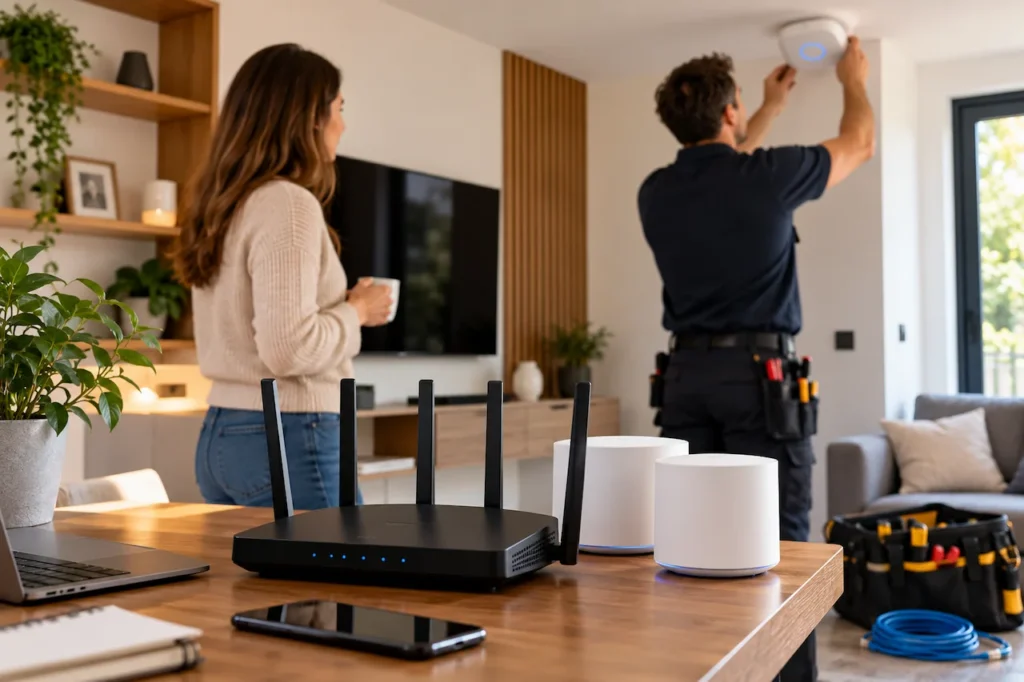
Reliable WiFi has become essential for everyday life. Whether you work from home, stream films, play online games or use smart home devices, a stable internet connection makes a big difference. However, many UK homeowners still experience weak signals, slow connections and WiFi dead zones in certain rooms.
One common question is: How much does home WiFi installation cost in the UK?
The answer depends on your property’s size, existing network, equipment requirements and the type of installation you need. A straightforward router setup costs much less than a complete home networking system with multiple access points and Ethernet cabling.
At HomeIT Services, we help homeowners across Essex improve their home WiFi coverage, connectivity and network reliability. In this guide, we’ll explain typical installation costs, what affects the price and how to choose the right solution for your home.
How Much Does Home WiFi Installation Cost in the UK?
Professional home WiFi installation can cost approximately £150 to £650 for many straightforward residential setups, while larger or more advanced installations can exceed £1,000.
These figures are indicative UK market ranges, not fixed HomeIT Services prices. They depend on whether equipment, labour, cabling, VAT and testing are included.
The table below provides a practical starting point when budgeting for home WiFi improvements.
| Installation Type | Indicative UK Cost |
| Basic home network setup | £150–£200 |
| Professional mesh WiFi setup | £220–£320 |
| Hardwired WiFi access point setup | £380–£580 |
| Garden office WiFi connection | £320–£650 |
| Advanced whole-home WiFi system | £1,000+ |
These ranges reflect different installation packages advertised in the UK market. They are not directly comparable because the included hardware, labour and property requirements vary.
For example, a homeowner experiencing weak WiFi in one bedroom may only need a router adjustment or an additional mesh node. Another homeowner with a large property, thick walls and several smart devices may benefit from professionally installed access points connected through Ethernet cabling.
Before paying for new equipment, it is worth identifying whether the problem comes from WiFi coverage, the internet service itself or an existing network configuration.
What Affects the Cost of Home WiFi Installation?
Several factors influence the final installation price. Understanding these factors can help you avoid paying for equipment or services your home does not need.
1. Property Size and Layout
A small flat usually requires less equipment than a large detached house. However, floor area is not the only consideration.
Thick brick walls, concrete floors, extensions and unusual room layouts can weaken wireless signals. A three-bedroom house with solid internal walls may require more careful WiFi planning than a larger open-plan property.
For homes with multiple floors, placing access points strategically is often more effective than simply purchasing a more powerful router.
2. Number of Connected Devices
Modern households may have numerous devices connected to the same network, including smartphones, laptops, televisions, gaming consoles, security cameras and smart home equipment.
The number of devices does not automatically determine the cost. Their usage matters too. A household with several people working remotely, streaming high-resolution video and gaming simultaneously may need a more capable network than a household using the internet mainly for browsing.
We recommend considering both your current devices and any technology you plan to add in the future.
3. WiFi Equipment and Technology
Different networking products offer different capabilities.
A basic router may provide enough coverage for a small property. Mesh WiFi systems extend coverage through multiple connected units, while dedicated wireless access points can provide a more flexible solution for larger homes.
WiFi 6 and WiFi 7 equipment can offer improved performance with compatible devices, but buying the latest hardware does not automatically improve your broadband speed.
The right equipment should match your property’s layout, broadband connection and everyday usage.
4. Ethernet Cabling Requirements
Some installations work entirely through wireless connections. Others benefit from Ethernet cables connecting access points to the main network.
Wired connections can improve stability and reduce reliance on wireless communication between mesh nodes.
However, installing cables through walls, ceilings or floors adds labour and material costs. Properties with accessible loft spaces or existing cable routes may be easier to work on than homes requiring extensive modifications.
5. Installation and Configuration
Professional WiFi installation involves more than plugging in a router.
Depending on the service, an installer may assess wireless coverage, position equipment, configure security settings, optimise channels, connect devices and test network performance.
A clear quotation should explain exactly which of these services are included.
Mesh WiFi vs Professional Access Points: Which Costs More?
Mesh WiFi and dedicated wireless access points are two popular solutions for improving home coverage.
Mesh WiFi Installation
A mesh system uses multiple units to provide wireless coverage across different areas of a property.
It can be suitable for households experiencing weak signals in bedrooms, upstairs rooms or extensions. Many systems are relatively straightforward to install and do not require additional Ethernet cabling.
Mesh WiFi can be an affordable option, particularly when the existing router and broadband connection are working correctly.
However, performance depends on node placement, building materials and the quality of the connection between units.
Professional Wireless Access Points
Wireless access points are often used when homeowners need reliable coverage across several floors or larger properties.
They can be connected through Ethernet cables to provide a stable network connection between access points and the main router.
This approach may be particularly useful for home offices, gaming rooms and properties with several smart devices.
Installation can cost more because of cabling, mounting and configuration requirements. Nevertheless, it may provide a more suitable long-term solution for complex homes.
Which Option Should You Choose?
For a smaller property with a few weak-signal areas, mesh WiFi may be sufficient.
For a larger property requiring reliable coverage across multiple rooms, wired access points may offer better flexibility and stability.
At HomeIT Services, we focus on identifying the cause of the connectivity problem before recommending a solution. This helps homeowners avoid unnecessary equipment purchases.
How Much Does Ethernet Cabling Cost in a UK Home?
Ethernet cabling can be a valuable part of a reliable home network, particularly when you need stable connections for computers, televisions, gaming systems or wireless access points.
As an indicative UK benchmark, installing a straightforward Cat6 Ethernet data point may cost approximately £80 to £150. Difficult cable routes can cost considerably more.
A larger installation involving several rooms, a network switch, patch panel and testing will usually require a separate quotation.
The price can depend on cable length, wall construction, access to floors or ceilings, the number of connections and whether decorative repairs are required.
Not every property needs extensive cabling. In some homes, one or two strategically positioned access points may solve the main coverage problems.
For a more detailed explanation of wired home networks, read our Home Network Infrastructure Guide for Essex Homes.
Is Professional WiFi Installation Worth the Cost?
Many homeowners can install a basic router or mesh WiFi kit themselves. Modern networking equipment often includes mobile apps and step-by-step instructions.
However, professional installation may be worthwhile when problems continue after a basic setup.
Common situations include:
- WiFi signals disappearing in certain rooms.
- Video calls disconnecting during remote work.
- Smart home devices repeatedly losing connectivity.
- Poor coverage across multiple floors.
- Gaming consoles experiencing unstable connections.
- Weak WiFi in extensions or garden offices.
A professional assessment can help determine whether the problem relates to router placement, interference, outdated equipment, broadband performance or the home network itself.
For example, replacing a router will not necessarily solve a problem caused by a poor broadband connection. Similarly, purchasing several WiFi extenders may not provide the best solution when access point placement or wired connections would be more effective.
The value of professional installation comes from selecting an appropriate solution, configuring it correctly and checking that it works throughout the required areas.
How to Reduce Home WiFi Installation Costs
Improving your WiFi does not always require an expensive upgrade. Some practical steps can help reduce unnecessary spending.
Check Your Existing Broadband Connection
Before purchasing networking equipment, check the speeds delivered by your broadband provider.
Test the connection near the router and compare it with performance in other rooms. Where possible, use an Ethernet connection to help distinguish broadband issues from wireless coverage problems.
If the internet connection itself is consistently slow, changing WiFi equipment may have limited benefits.
Reposition Your Router
Router placement affects wireless coverage.
Placing a router in a central, open location can improve signal distribution. Avoid hiding it inside cabinets or positioning it close to large metal objects and other potential sources of interference.
This simple adjustment may improve coverage without additional equipment.
Upgrade Only What You Need
You may not need to replace your entire home network.
If the existing router performs well but coverage is weak upstairs, an appropriately positioned mesh node or access point could be sufficient.
If your home already has Ethernet cabling, it may be possible to reuse that infrastructure rather than installing new cables.
Plan for Future Devices
Consider whether you intend to add smart lighting, security cameras, smart heating or a dedicated home office.
Planning for future requirements can reduce the need for repeated installations. However, it is equally important to avoid paying for advanced equipment that your household is unlikely to use.
Home WiFi Installation for Smart Homes
Smart home technology depends on reliable connectivity, but different devices have different networking requirements.
Smart televisions, video doorbells, security cameras, speakers and automation hubs may connect through WiFi or other technologies.
When multiple devices are installed throughout a property, network coverage and configuration become increasingly important.
A smart home network should provide appropriate connectivity while keeping security in mind. This may include strong wireless encryption, updated router firmware and separate network access for certain connected devices.
Some smart home devices also require a 2.4 GHz WiFi connection, which should be considered during installation.
If you’re planning to introduce connected lighting, heating or security equipment, explore our Smart Home Devices and Home Automation Services.
Home WiFi Installation in Essex
Homeowners across Essex experience a wide range of WiFi problems, from weak signals in upstairs bedrooms to unreliable connections in home offices and extensions.
Different properties require different solutions. A modern apartment may need only a straightforward network setup, while an older house with thick internal walls may benefit from additional access points.
At HomeIT Services, we provide residential IT support and networking solutions across Essex, including Southend-on-Sea, Chelmsford, Brentwood and surrounding areas.
Our services focus on practical improvements to home connectivity, including WiFi coverage, network infrastructure, smart home integration and connected-device support.
If you live in Chelmsford, you can learn more about our Home Network and WiFi Support in Chelmsford.
For homeowners in Southend and nearby areas, we also provide Home IT Support in Southend-on-Sea.
Why Choose HomeIT Services for Home WiFi Installation?
Choosing a WiFi installation provider is about more than finding someone who can connect a router.
You need a solution that suits your property, devices and everyday requirements.
At HomeIT Services, we focus on residential technology rather than treating every home like a business network.
We help homeowners with:
- WiFi Coverage and Connectivity: Identifying weak-signal areas and improving wireless coverage.
- Home Network Infrastructure: Planning practical wired and wireless networking solutions.
- Smart Home Integration: Supporting connected devices and home automation.
- Network Security: Helping configure safer access to home networks.
- Residential IT Support: Troubleshooting everyday home technology problems.
We aim to recommend solutions based on the actual requirements of your home rather than unnecessary equipment upgrades.
Frequently Asked Questions
How much does professional WiFi installation cost in the UK?
Professional installation costs vary according to the property, equipment and work involved. Indicative UK examples range from approximately £150 for simpler network setups to £650 or more for advanced residential installations. Large whole-home systems can cost considerably more.
Is mesh WiFi cheaper than Ethernet installation?
Mesh WiFi can be cheaper when no new cabling is required. Ethernet installation may cost more initially because of materials and labour, but it can provide reliable wired connections for access points and fixed devices.
Can I install a home WiFi network myself?
Yes. Many basic routers and mesh systems are designed for self-installation. Professional support can be helpful for larger properties, complex configurations or persistent connectivity problems.
Will professional WiFi installation make my internet faster?
It can improve wireless coverage, stability and the speeds devices receive in areas with weak signals. However, it cannot increase the broadband speed supplied by your internet provider beyond the limits of your connection.
How many WiFi access points does a house need?
There is no fixed number. The requirement depends on the property’s layout, wall construction, floors, equipment and coverage needs. A professional assessment can help identify suitable locations.
Do I need Ethernet cabling for mesh WiFi?
Not always. Many mesh systems communicate wirelessly. However, Ethernet backhaul can improve reliability and performance, particularly in larger properties or homes with difficult wireless conditions.
How much does home WiFi installation cost in Essex?
Costs in Essex depend on the equipment, property size and installation complexity. A straightforward setup will usually cost less than a multi-room system requiring Ethernet cabling. Contact HomeIT Services for a quotation based on your home.
Get a Home WiFi Installation Quote in Essex
If your WiFi keeps disconnecting, certain rooms have weak signals or your smart home devices struggle to stay connected, the right network setup can make everyday technology more reliable.
At HomeIT Services, we help homeowners across Essex find practical solutions for home WiFi coverage, connectivity and networking problems.
Whether you need help with an existing router, better whole-home coverage or a more advanced network installation, we can discuss your requirements and recommend a suitable approach.
Contact HomeIT Services today to discuss your home WiFi requirements and request a personalised installation quote.
Rather have it done properly?
Get a clear, fixed quote from a local engineer before any work starts.