
In this guide
- What Is Professional Home WiFi Installation?
- How Much Does Home WiFi Installation Cost in Essex?
- Common WiFi Coverage Problems in Essex Homes
- Best Home WiFi Installation Solutions for Essex Properties
- WiFi Installation for Different Types of Homes in Essex
- Home WiFi Installation in Southend-on-Sea
- Home WiFi Installation in Chelmsford
- Home WiFi Installation in Brentwood, Basildon and Colchester
- Can Better WiFi Improve Smart Home Performance?
- How to Improve Home WiFi Before Paying for Installation
- Why Choose HomeIT Services for Home WiFi Installation in Essex?
- Frequently Asked Questions
- Get Professional Home WiFi Support in Essex
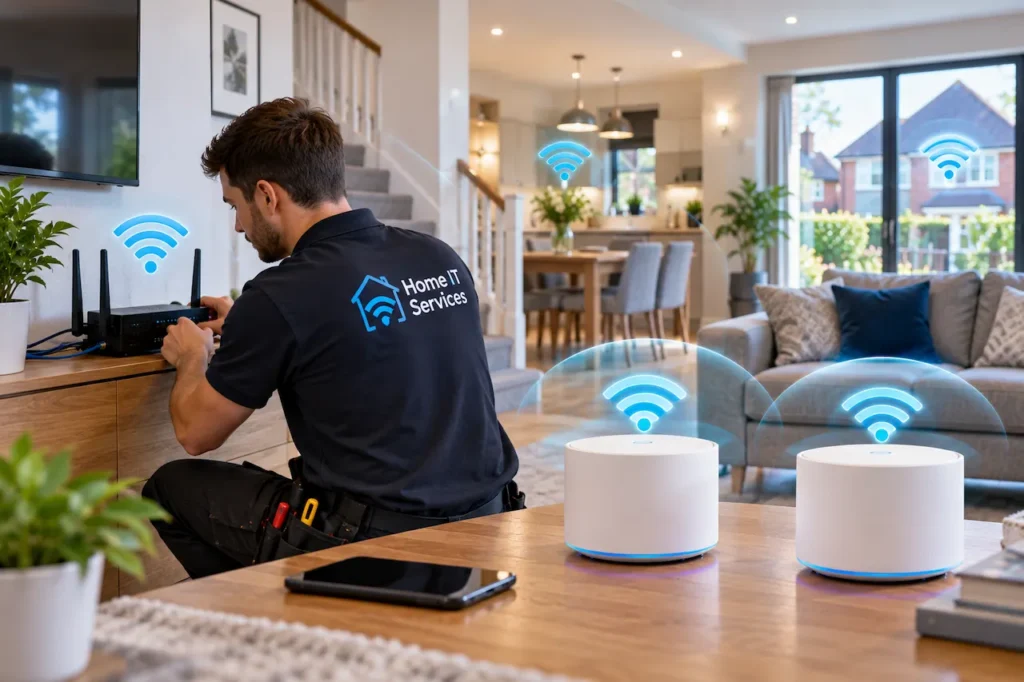
Home WiFi installation Essex homeowners need should provide reliable internet coverage throughout their property, whether they live in a small flat, a terraced house, or a larger detached home. Weak wireless signals, slow connections, and frequent disconnections can make everyday activities such as remote working, streaming, gaming, and using smart home devices frustrating.
Many properties across Essex experience WiFi coverage problems because of thick brick walls, multiple floors, extensions, or poorly positioned broadband routers. Simply upgrading your internet package does not always resolve these issues.
At HomeIT Services, we help homeowners across Essex improve their home networking and connectivity. In this guide, we’ll explain common WiFi problems, indicative installation costs, professional solutions, and how to choose a suitable network setup for your property.
What Is Professional Home WiFi Installation?
Professional home WiFi installation involves assessing, configuring, and improving a property’s wireless network to provide reliable connectivity where it is needed.
Depending on the requirements of the home, installation may include router configuration, mesh WiFi systems, wireless access points, Ethernet cabling, and network security settings.
Unlike a basic router setup, professional installation considers the property’s layout, building materials, connected devices, and the areas where wireless coverage is most important.
For example, a family may need stable WiFi in upstairs bedrooms, a downstairs living room, and a garden office. A professional installation can help determine whether the existing router is sufficient or additional networking equipment is required.
The goal is not necessarily to install more devices. It is to create a practical network that suits the household’s needs.
How Much Does Home WiFi Installation Cost in Essex?
Home WiFi installation costs in Essex depend on the equipment, property size, and complexity of the work.
A straightforward router setup generally costs less than a complete home networking installation involving several wireless access points and Ethernet cables.
The following figures are indicative UK market estimates rather than confirmed HomeIT Services prices.
| WiFi Installation Type | Indicative Cost |
| Basic router and WiFi setup | £100–£200 |
| Mesh WiFi installation | £200–£400 |
| Wireless access point installation | £250–£600 |
| Home Ethernet cabling | £80–£150 per straightforward data point |
| Advanced whole-home WiFi installation | £600–£1,200+ |
Actual quotations may differ significantly depending on hardware, labour, cabling, VAT, property access, and testing requirements.
What Affects WiFi Installation Costs?
Several factors influence the price of a residential WiFi installation.
Property size: Larger homes may require additional networking equipment to provide suitable coverage across multiple rooms and floors.
Wall construction: Thick brick walls, concrete floors, and certain insulation materials can reduce wireless signal strength.
Equipment requirements: Mesh WiFi systems, dedicated wireless access points, routers, and network switches vary in price.
Ethernet cabling: Installing new cables through walls, lofts, or floors can increase labour costs.
Network configuration: Advanced security settings, multiple connected devices, and more complex installations may require additional setup time.
Before purchasing new equipment, we recommend identifying the actual cause of your WiFi problems.
For a broader explanation of UK installation prices, read our Home WiFi Installation Cost UK Guide.
Common WiFi Coverage Problems in Essex Homes
Different properties experience different wireless connectivity issues. However, several problems are particularly common in residential networks.
1. Weak WiFi Signals in Upstairs Bedrooms
One of the most frequent complaints is poor WiFi coverage upstairs.
When a broadband router is installed downstairs, wireless signals must travel through floors, walls, and other obstacles to reach bedrooms.
The problem can become more noticeable in homes with solid construction materials or routers positioned in enclosed spaces.
A properly positioned mesh WiFi node or wireless access point may improve coverage without requiring a new broadband package.
2. WiFi Dead Zones in Extensions
Home extensions can create additional challenges for wireless networks.
A router positioned near the front of a property may struggle to provide reliable coverage in a rear kitchen extension or converted living space.
The distance from the router and the construction of the extension can affect wireless performance.
In these situations, extending the network through mesh WiFi or a wired access point may provide a more reliable solution.
3. Slow Internet in Home Offices
Remote working has increased the importance of stable home connectivity.
Video meetings, cloud applications, and file transfers require a reliable connection, particularly when several household members use the network simultaneously.
However, slow performance in a home office does not always mean the broadband service is inadequate.
The issue may relate to wireless interference, router placement, or poor coverage.
Where practical, Ethernet connections can provide stable connectivity for desktop computers and other fixed work equipment.
4. Smart Home Devices Losing Connection
Smart home devices such as video doorbells, security cameras, smart speakers, and connected lighting systems depend on suitable network connectivity.
Some devices are installed near external walls, garages, or entrances where wireless signals may be weaker.
Others support only certain WiFi frequencies, which can create configuration challenges.
A well-planned network can help provide appropriate coverage for connected devices while maintaining suitable security settings.
5. Unreliable WiFi in Garden Offices
Garden offices have become increasingly popular, but providing reliable connectivity to a separate building can be challenging.
Wireless signals may weaken because of distance, exterior walls, and interference.
Depending on the property, suitable solutions may include outdoor wireless links, appropriately installed Ethernet cabling, or other dedicated networking equipment.
Simply placing an extender near the back door may not provide reliable coverage in a detached garden office.
Best Home WiFi Installation Solutions for Essex Properties
There is no single WiFi solution that works equally well in every home.
The right installation depends on the property layout, existing equipment, broadband connection, and household requirements.
Mesh WiFi Systems
Mesh WiFi systems use multiple coordinated nodes to improve wireless coverage throughout a property.
They can be suitable for terraced houses, semi-detached properties, and homes with multiple floors.
Mesh systems are often easier to install than fully wired networks because many models communicate wirelessly.
However, node placement remains important. If the connection between nodes is weak, performance may still be limited.
Mesh WiFi can be a practical choice when several rooms need better coverage without extensive cabling work.
WiFi Extenders
WiFi extenders receive an existing wireless signal and retransmit it to another area.
They can be useful when a homeowner needs to improve coverage in one room or a small section of the property.
However, extenders may offer lower throughput than a well-designed mesh or wired access point installation, depending on their configuration.
For a detailed comparison, read our WiFi Extender vs Mesh WiFi Guide.
Wireless Access Points
Dedicated wireless access points can provide reliable coverage in larger properties or homes with challenging layouts.
Many professional installations use Ethernet cables to connect access points to the main network.
This can reduce dependence on wireless connections between networking devices.
Access points may be particularly useful for large detached houses, multi-floor properties, and homes with extensive connected-device requirements.
Ethernet Cabling
Ethernet cabling provides a physical network connection between compatible devices.
It can be useful for desktop computers, gaming consoles, smart televisions, and wireless access points.
Wired connections are generally less affected by wireless interference and can provide consistent performance.
For homeowners planning a long-term networking upgrade, combining Ethernet cabling with wireless access points may offer a practical solution.
WiFi Installation for Different Types of Homes in Essex
Essex has a variety of residential property types, and their networking requirements can differ considerably.
Terraced Houses
Terraced houses may have narrow layouts with rooms distributed across several floors.
If the router is located near the front of the property, coverage may weaken toward the rear or upstairs.
A single extender may solve a small coverage problem, while a mesh system can be considered when several rooms need improved connectivity.
Semi-Detached Houses
Semi-detached homes often include extensions, upstairs bedrooms, and separate living areas.
Wireless coverage can become inconsistent when the router is positioned at one end of the property.
Mesh nodes or strategically positioned access points may help distribute coverage more effectively.
Detached Properties
Larger detached houses may require multiple access points or a carefully planned mesh WiFi installation.
Thick walls, long corridors, and multiple floors can make wireless coverage more challenging.
A professional network assessment can help identify appropriate equipment locations and determine whether Ethernet cabling would be beneficial.
Flats and Apartments
Smaller flats often require less networking equipment.
However, wireless interference from neighbouring networks can affect performance, particularly in buildings with many apartments.
Router positioning, channel selection, and appropriate equipment configuration may improve performance without additional devices.
Home WiFi Installation in Southend-on-Sea
Homeowners in Southend-on-Sea may experience WiFi problems in terraced houses, flats, family homes, and properties with extensions.
Common concerns include weak upstairs coverage, unreliable video calls, and poor connectivity in rooms located far from the router.
At HomeIT Services, we help homeowners understand their network requirements and identify practical connectivity improvements.
If you need broader residential technology assistance, explore our Home IT Support in Southend-on-Sea.
Home WiFi Installation in Chelmsford
Properties in Chelmsford range from modern apartments to larger family homes with multiple rooms and floors.
WiFi requirements can vary depending on the building layout and number of connected devices.
A smaller property may need only router optimisation, while a larger home could benefit from mesh WiFi or wired access points.
We help homeowners consider their connectivity requirements before choosing networking equipment.
Learn more about our Home Network and WiFi Support in Chelmsford.
Home WiFi Installation in Brentwood, Basildon and Colchester
Homeowners in Brentwood, Basildon, and Colchester may face similar connectivity problems, including weak signals in extensions, unreliable upstairs coverage, and poor WiFi performance in home offices.
The appropriate solution depends on the property’s construction and existing network rather than the town alone.
For example, a modern home with an open-plan layout may need fewer wireless access points than an older property with solid internal walls.
If you’re considering professional installation, it is worth discussing the property’s layout, broadband service, and specific connectivity problems before requesting a quotation.
Can Better WiFi Improve Smart Home Performance?
A reliable home network can improve the performance of many connected devices.
Smart televisions, speakers, cameras, video doorbells, and automation systems may rely on WiFi to communicate with other devices or online services.
However, not every smart home device uses WiFi. Some use technologies such as Zigbee, Thread, or other dedicated communication protocols.
A suitable smart home setup should account for device compatibility, wireless coverage, and network security.
For example, a video doorbell positioned outside a brick entrance may require better WiFi coverage than devices located near the main router.
Similarly, smart home devices distributed across several floors may benefit from a network designed for consistent coverage.
Explore our Smart Home Devices and Home Automation Services to learn more about connected home technology.
How to Improve Home WiFi Before Paying for Installation
Not every WiFi problem requires new equipment.
Before investing in a professional installation, consider these practical steps.
Check Your Broadband Speed
Test your connection close to the router and compare the results with performance in other rooms.
Where possible, use a wired connection to help identify whether the issue relates to broadband performance or wireless coverage.
Reposition Your Router
A router placed inside a cupboard or behind large furniture may provide weaker coverage.
Moving it to a more central, open position can sometimes improve wireless performance.
Update Router Firmware
Router firmware updates may include security improvements, stability fixes, and performance enhancements.
Check whether your router supports automatic updates or requires manual maintenance.
Review Connected Devices
Older devices, unnecessary background downloads, and high-bandwidth activities can affect the experience of other users.
Understanding how the network is being used can help identify the cause of slow performance.
Avoid Buying Equipment Without Testing
Adding extenders or mesh nodes without identifying the problem may create additional complexity.
A network assessment can help determine whether equipment upgrades are actually necessary.
Why Choose HomeIT Services for Home WiFi Installation in Essex?
At HomeIT Services, we focus on practical residential IT and networking solutions.
We understand that homeowners need reliable connectivity for work, entertainment, communication, and smart home technology.
Our approach is based on understanding the property’s requirements and recommending appropriate solutions.
We can help with:
- Home WiFi Troubleshooting: Identifying weak coverage and connectivity issues.
- Router and Network Configuration: Supporting suitable home networking setups.
- Mesh WiFi and Coverage Improvements: Helping homeowners consider appropriate wireless solutions.
- Home Network Infrastructure: Supporting practical wired and wireless connectivity.
- Smart Home Connectivity: Helping connected devices operate on suitable networks.
- Residential IT Support: Assisting with everyday home technology problems.
Whether you need help with a single weak-signal area or a more comprehensive home network improvement, the goal is to create a reliable and manageable setup.
Frequently Asked Questions
How much does home WiFi installation cost in Essex?
Costs depend on the equipment, property size, and installation requirements. Indicative UK market ranges start at around £100–£200 for basic setup services, while more complex installations involving mesh systems, access points, or cabling can cost several hundred pounds or more.
Is professional WiFi installation worth it?
Professional installation can be worthwhile when a property has persistent weak-signal areas, multiple floors, complex networking requirements, or repeated connectivity problems that basic troubleshooting has not resolved.
Can mesh WiFi work in older Essex houses?
Mesh WiFi can improve coverage in older properties, but thick walls and solid floors may affect wireless connections between nodes. Wired backhaul or dedicated access points may be more suitable in some homes.
How many WiFi access points does a three-bedroom house need?
There is no fixed requirement. The number depends on the property’s layout, building materials, router position, and coverage needs. Some homes need only one router, while others benefit from additional access points.
Can I get WiFi installed in a garden office?
Yes. Depending on the distance and property layout, possible solutions include suitable Ethernet cabling, outdoor wireless bridges, or other networking equipment. Outdoor cable routes may require additional protection and professional installation.
Will installing mesh WiFi improve broadband speed?
Mesh WiFi can improve wireless coverage and performance in areas with weak signals. However, it cannot increase the maximum internet speed provided by your broadband service.
Does HomeIT Services provide home WiFi support in Essex?
HomeIT Services provides residential IT and networking support in Essex. Contact us with your location and connectivity requirements to confirm the available service and installation options.
Get Professional Home WiFi Support in Essex
Reliable WiFi is important for modern homes, particularly when multiple people work, study, stream, or use connected devices throughout the day.
Whether you’re experiencing weak upstairs coverage, unreliable home office connections, or poor WiFi in an extension, the right solution starts with identifying the cause.
At HomeIT Services, we help homeowners across Essex understand their networking requirements and explore practical ways to improve connectivity.
Contact HomeIT Services today to discuss your WiFi coverage problems and request guidance on a suitable home network installation.
Rather have it done properly?
Get a clear, fixed quote from a local engineer before any work starts.