

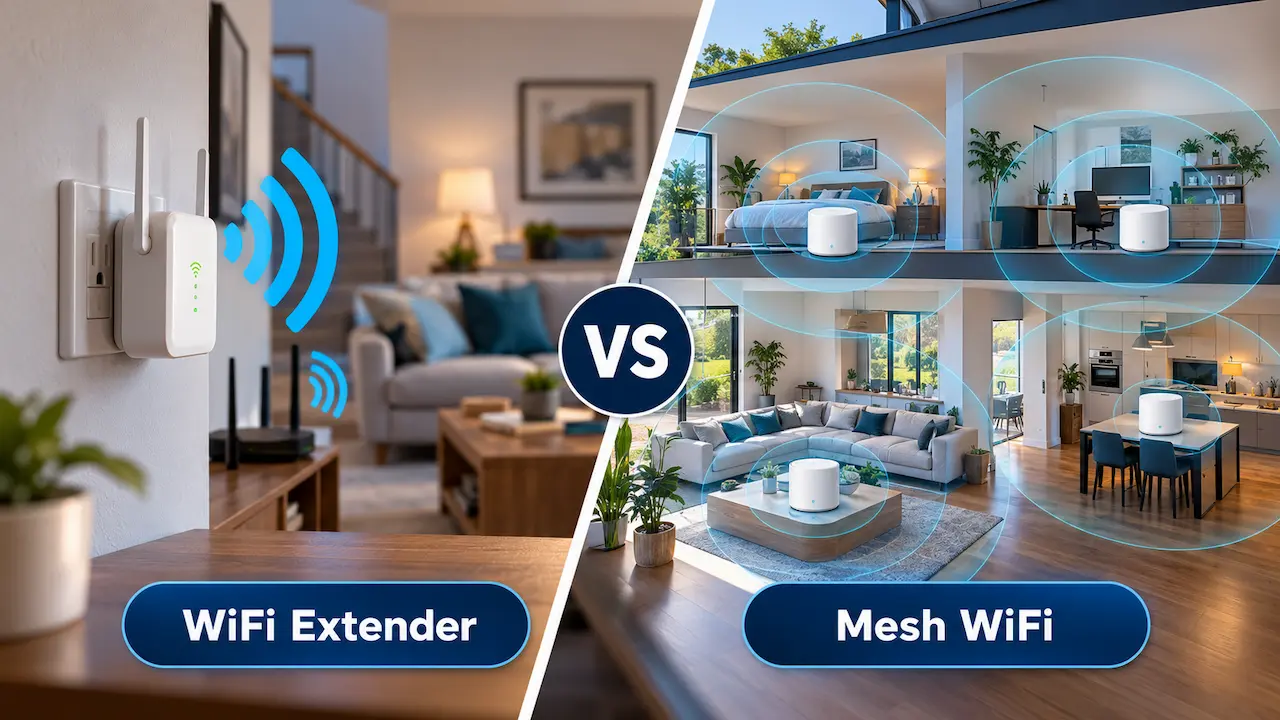
A strong WiFi connection in the living room does not always mean reliable internet throughout the house. Move upstairs, into the kitchen extension, or out to the garden office, and suddenly the signal drops. Video calls freeze, streaming starts buffering, and smart home devices struggle to stay connected.
When this happens, many homeowners consider two popular solutions: a WiFi extender or a mesh WiFi system.
Both can improve wireless coverage, but they work differently. Choosing the wrong option could mean spending money without solving the underlying problem.
In this guide, we compare WiFi extender vs mesh WiFi systems, explain their advantages and limitations, and help you decide which option makes sense for your home.
What Is a WiFi Extender?
A WiFi extender is a device designed to increase the reach of your existing wireless network. It receives a signal from your router and retransmits it to areas where coverage is weak.
For example, if your router is downstairs and the WiFi signal struggles to reach an upstairs bedroom, placing an extender somewhere between the two areas may improve connectivity.
Most extenders plug directly into a wall socket, making them relatively easy to install without additional cabling.
Advantages of a WiFi Extender
- Affordable: Basic extenders generally cost less than complete mesh systems.
- Easy installation: Many models can be configured through a mobile app.
- Suitable for small coverage gaps: An extender may work well when only one room has weak WiFi.
- Works with existing routers: Many extenders are compatible with common broadband routers.
Disadvantages of a WiFi Extender
The main limitation is that an extender needs a reliable connection to the original router. If you place it where the signal is already extremely weak, it cannot create a strong connection from nothing.
Some wireless extenders also reduce effective throughput because they use the same radio connection to communicate with the router and connected devices.
Depending on the equipment, you may also experience less seamless movement between rooms or need to connect to a separate network name.
A WiFi extender can therefore be a practical solution for a small problem, but it may not be the best choice for a larger property.
What Is Mesh WiFi?
A mesh WiFi system uses multiple wireless units, often called nodes, positioned around your home to provide broader network coverage.
Instead of relying on a single router to reach every room, the system distributes wireless connectivity through several connected points.
One unit connects to your broadband router or modem, while additional nodes are placed around the property. These nodes communicate through wireless connections or Ethernet cables, depending on the system.
Most modern mesh systems use one network name and support coordinated device roaming, helping phones, laptops, and other devices move between coverage areas.
Advantages of Mesh WiFi
- Wider coverage: Multiple nodes can help cover larger homes and properties with several floors.
- Convenient roaming: Compatible devices can move between nodes without manually selecting different networks.
- Expandable setup: Many systems allow you to add nodes as coverage requirements change.
- Centralised management: Apps commonly provide network monitoring, device management, and parental controls.
- Suitable for connected homes: Mesh networks can support households with smart TVs, phones, tablets, and other connected devices.
Disadvantages of Mesh WiFi
Mesh systems generally have a higher initial cost than basic extenders.
Performance also depends on node placement, building materials, interference, and the quality of the connection between nodes.
Wireless mesh connections can lose performance when nodes are too far apart or must communicate through thick walls.
For the best results, some properties benefit from Ethernet connections between mesh units, known as wired backhaul.
WiFi Extender vs Mesh WiFi: Key Differences
Understanding the main differences makes it easier to choose the right solution.
| Feature | WiFi Extender | Mesh WiFi |
| Initial cost | Usually lower | Usually higher |
| Coverage | Best for individual weak spots | Better suited to wider coverage |
| Installation | Often simple | Requires planning node placement |
| Network management | Varies by model | Usually centralised |
| Moving between rooms | May be less seamless | Generally more seamless |
| Expandability | Varies | Commonly supports extra nodes |
| Performance | Depends on signal and design | Depends on node connections and design |
| Best suited for | Smaller homes or one weak area | Larger or multi-storey homes |
Neither solution automatically guarantees faster broadband. Both are intended to improve how your existing internet connection reaches devices around your property.
Which Is Better for a Small Home?
For a small flat or house with only one weak WiFi area, an extender may be enough.
Imagine your router provides reliable coverage everywhere except a spare bedroom at the opposite end of the property.
Installing a suitable extender in a location that still receives a strong router signal could improve connectivity without requiring a complete network replacement.
However, before buying additional equipment, check whether moving your router would solve the problem.
Placing a router centrally, away from large metal objects and enclosed cupboards, can sometimes improve coverage significantly.
If several rooms experience poor connectivity, a mesh system or properly positioned wireless access point may be more effective.
Is Mesh WiFi Better for Large Homes?
For many larger homes, mesh WiFi is the more practical option.
Properties with multiple floors, extensions, long corridors, or rooms far from the main router can be difficult to cover with one wireless access point.
A mesh system allows you to distribute coverage across different areas rather than relying on a single extended signal.
This can be particularly useful in Essex properties with loft conversions, rear extensions, or garden offices.
However, the layout and construction of the property still matter.
Thick brick walls, insulated partitions, and certain building materials can weaken wireless connections between mesh nodes.
Where wireless backhaul is unreliable, professionally installed Ethernet cabling and access points may provide a more consistent solution.
Does Mesh WiFi Make Your Internet Faster?
Mesh WiFi can improve the speeds experienced in areas with weak wireless coverage, but it does not increase the speed of your broadband package.
For example, if your broadband connection delivers 150 Mbps at the router, installing a mesh system will not turn it into a 500 Mbps internet connection.
What mesh WiFi can do is help devices in distant rooms access more of the available connection speed.
The actual improvement depends on your router, mesh hardware, wireless interference, node placement, and device capabilities.
Before upgrading, it is worth testing your broadband speed through a wired Ethernet connection.
If the wired connection is already slow, the problem may be with the broadband service rather than WiFi coverage.
WiFi Extender vs Mesh WiFi for Working From Home
A reliable internet connection becomes especially important when your home doubles as an office.
Video meetings, cloud applications, file uploads, and remote access systems all depend on stable connectivity.
A WiFi extender may work adequately for a home office located near the main router, particularly when the connection requirements are modest.
However, a mesh system may be more suitable when the office is upstairs, in an extension, or at the opposite end of the house.
For work involving frequent video calls or large file transfers, a wired Ethernet connection is often the most dependable choice.
Unlike wireless connections, Ethernet does not experience radio interference from neighbouring WiFi networks.
Homeowners should therefore consider how they use the connection, rather than choosing equipment based only on advertised wireless speeds.
How Much Does a WiFi Extender or Mesh System Cost in the UK?
Price is another important factor when comparing WiFi extender vs mesh WiFi solutions.
Basic WiFi extenders commonly cost around £20–£60, while higher-performance models can cost more.
Entry-level mesh WiFi kits may start at approximately £80–£150, with premium multi-node systems costing £200–£500 or more.
These are illustrative equipment price ranges, not installation quotations. Actual prices depend on the brand, wireless standard, features, and number of units required.
Professional installation, additional cabling, or network configuration may increase the total cost.
The cheapest solution is not always the most economical in the long term. A poorly positioned extender that repeatedly disconnects may provide less value than a properly planned network.
Equally, there is little reason to purchase an expensive mesh system if a simple router adjustment solves the issue.
When Should You Consider Professional WiFi Installation?
Some wireless problems are straightforward, while others require a closer look at the entire home network.
Professional assistance may be worthwhile when:
- Several rooms experience weak or unreliable WiFi.
- Your connection drops when moving between floors.
- Smart TVs, cameras, or home office devices frequently disconnect.
- Previous extenders have failed to improve coverage.
- You need reliable connectivity in a loft conversion or garden office.
A professional WiFi assessment can identify whether the issue comes from router placement, interference, building materials, network configuration, or insufficient access points.
The recommended solution might be a mesh system, a better-positioned router, Ethernet cabling, or dedicated wireless access points.
The important thing is identifying the cause before buying more equipment.
How HomeIT Services Can Improve Your Home WiFi
Every property has different wireless coverage requirements.
A small flat in Southend-on-Sea may only need better router positioning, while a larger family home in Chelmsford could benefit from multiple access points and structured cabling.
At HomeIT Services, we help homeowners across Essex improve WiFi coverage, diagnose network problems, and install reliable home networking solutions.
Our approach focuses on understanding your property layout, identifying connectivity problems, and recommending equipment that suits your needs.
Whether you are dealing with weak upstairs WiFi, unreliable smart home devices, or poor connectivity in a home office, we can help you find a practical solution.
We serve Southend-on-Sea, Chelmsford, Brentwood, Basildon, Rayleigh, Leigh-on-Sea, and surrounding Essex areas.
Need Better WiFi Coverage at Home?
Contact HomeIT Services to discuss your home network and find out which solution is right for your property.
Call: 01702 668090
Frequently Asked Questions
Is mesh WiFi better than a WiFi extender?
Mesh WiFi is generally better suited to larger properties or homes with several weak coverage areas. A WiFi extender can be sufficient for improving connectivity in one room. The best choice depends on your property and existing network.
Can I use a WiFi extender with any router?
Many extenders work with standard broadband routers, but compatibility and available features vary. Check the manufacturer’s specifications before purchasing.
Does mesh WiFi work through thick walls?
Mesh WiFi can work in properties with thick walls, but building materials may weaken connections between nodes. Ethernet-connected mesh units or dedicated access points can be more reliable in challenging properties.
How many mesh WiFi nodes do I need?
The number depends on your home’s size, layout, construction, and coverage requirements. Some homes work well with two nodes, while others need three or more. Adding too many nodes without proper planning can also create interference.
Will a WiFi extender reduce internet speed?
Some wireless extenders can reduce effective throughput, particularly when they use the same radio channel for communication with both the router and connected devices. The impact depends on the hardware and network conditions.
Is professional mesh WiFi installation worth it?
Professional installation can be valuable for larger homes, difficult layouts, or networks with persistent connection problems. Correct placement, configuration, and testing can help you get better performance from your equipment.
Final Thoughts
Choosing between a WiFi extender and mesh WiFi comes down to the size of your home, the location of weak coverage areas, and how you use your internet connection.
A WiFi extender can be an affordable fix for one troublesome room. Mesh WiFi is often a better choice for wider coverage, multiple floors, and households with numerous connected devices.
However, neither option can compensate for every network problem.
Before investing in new equipment, identify what is causing the weak signal and whether your current router, broadband connection, or network layout needs attention.
For homeowners across Essex, HomeIT Services provides practical support to help create a reliable home network that works where it matters most.
Get in Touch With HomeIT Services to discuss your WiFi coverage requirements.