
In this guide
- What Is Home Network Installation?
- How Much Does Home Network Installation Cost in Southend-on-Sea?
- Common Home Network Problems in Southend-on-Sea
- Best Home Network Setup Options for Southend Homes
- Home Network Installation for Different Property Types
- Is Ethernet Better Than WiFi for Home Networking?
- Home Network Installation for Remote Working
- Home Network Security: What Should Homeowners Consider?
- How Long Does Home Network Installation Take?
- How to Prepare for Professional Home Network Installation
- Why Choose HomeIT Services for Home Network Installation in Southend-on-Sea?
- Frequently Asked Questions
- Get Professional Home Network Support in Southend-on-Sea
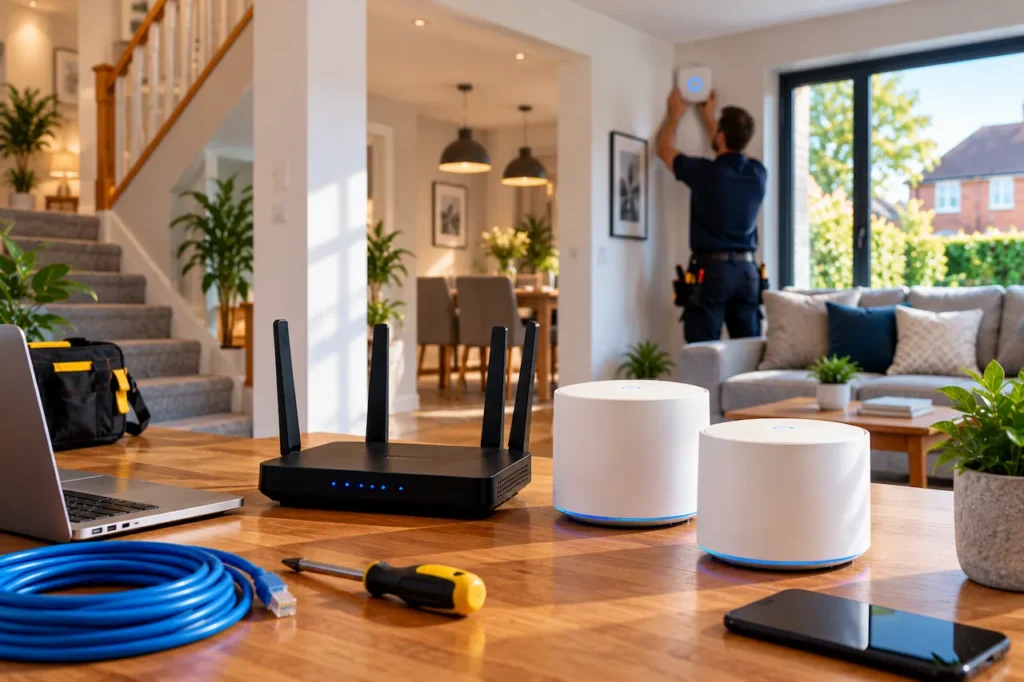
Home network installation Southend-on-Sea homeowners need should provide reliable internet connectivity throughout their property, whether they live in a terraced house, modern flat, or larger family home. A properly configured network helps support remote working, streaming, online gaming, security cameras, and smart home devices without constant connection problems.
However, many homeowners experience weak WiFi signals, slow internet in certain rooms, and unreliable connections despite paying for a good broadband package. These problems often come from the home’s internal network rather than the internet provider.
At HomeIT Services, we help homeowners across Southend-on-Sea, Westcliff-on-Sea, Leigh-on-Sea, and surrounding Essex areas improve their home networks. In this guide, we’ll explain installation costs, networking equipment, common WiFi problems, and the professional solutions available for different properties.
What Is Home Network Installation?
Home network installation involves setting up the equipment and connections that allow devices throughout a property to communicate with each other and access the internet.
A typical home network includes a broadband router, wireless access points, network switches, and connected devices. More advanced installations may include Ethernet cabling, mesh WiFi systems, network storage, and separate connections for smart home equipment.
Professional installation goes beyond connecting a router to a broadband socket. It considers the property’s layout, the number of connected devices, network security, and the areas where reliable connectivity is most important.
For example, a household may need stable internet in an upstairs home office, strong WiFi in the living room, and reliable connectivity for outdoor security cameras. Each requirement may need a different networking approach.
The goal is to create a practical system that supports everyday household activities without unnecessary equipment or complicated configurations.
How Much Does Home Network Installation Cost in Southend-on-Sea?
Home network installation costs depend on the property, equipment, and complexity of the work.
A straightforward router configuration usually costs less than installing multiple wireless access points or running Ethernet cables throughout a house.
The following are indicative UK budgeting ranges, not confirmed HomeIT Services prices or verified Southend-specific quotations.
| Installation Type | Indicative UK Cost |
| Basic router and home network setup | £100–£200 |
| Mesh WiFi system setup | £200–£400 |
| Wireless access point installation | £250–£600 |
| Straightforward Ethernet data point | £80–£150 |
| Multi-room home network installation | £600–£1,200+ |
These estimates may include different levels of equipment and labour. Always check whether a quotation includes hardware, VAT, cabling, configuration, testing, and any necessary finishing work.
Factors That Affect Installation Costs
Several factors influence the overall price of a residential network installation.
Property size: Larger homes may require additional access points, longer cable runs, and more installation time.
Building materials: Thick brick walls, concrete floors, and certain insulation materials can affect wireless coverage.
Number of connected devices: Homes with multiple computers, televisions, gaming consoles, and smart devices may need more capable networking equipment.
Ethernet cabling: Running cables through lofts, floors, or walls can increase labour and material costs.
Network security: Advanced router configuration, guest networks, and network segmentation may require additional setup.
Before paying for installation, it is worth understanding which improvements your property actually needs.
For a broader explanation of wireless setup pricing, read our Home WiFi Installation Cost UK Guide.
Common Home Network Problems in Southend-on-Sea
Home networking problems can affect different rooms and devices in different ways. Identifying the cause is essential before choosing a solution.
Weak WiFi in Upstairs Bedrooms
One common problem is poor wireless coverage upstairs.
Broadband routers are often installed near the front of a property or wherever the internet connection enters the building. This location may not provide suitable coverage across multiple floors.
Walls, ceilings, furniture, and distance can weaken wireless signals.
A mesh WiFi system or properly positioned access point may improve connectivity without requiring a new broadband package.
Slow Internet in Home Offices
Working from home requires stable connectivity for video meetings, file transfers, and cloud applications.
If your home office is far from the router, wireless performance may become unreliable even when the broadband connection itself is working correctly.
In some cases, repositioning the router or improving wireless coverage is sufficient. For more demanding home office requirements, a wired Ethernet connection may provide greater stability.
WiFi Dead Zones in Extensions
Rear extensions, loft conversions, and converted garages can create additional networking challenges.
The original broadband router may not have been positioned to serve these areas.
Thick walls and increased distance can weaken wireless signals, leaving certain rooms with unreliable connectivity.
A dedicated wireless access point connected through Ethernet may be more effective than repeatedly adding inexpensive WiFi extenders.
Smart Home Devices Disconnecting
Smart home devices such as video doorbells, security cameras, speakers, and connected heating systems depend on reliable communication.
Some devices use WiFi, while others communicate through technologies such as Zigbee or Thread.
Connectivity problems can occur when devices are installed near external walls, garages, or other areas with weak wireless coverage.
A properly configured network can help support connected devices while maintaining appropriate security settings.
Unstable Connections During Gaming and Streaming
Online gaming and high-resolution streaming can be affected by network congestion, interference, and unreliable wireless connections.
A strong WiFi signal does not always guarantee low latency or consistent performance.
Where practical, Ethernet connections can provide stable connectivity for gaming consoles, desktop computers, and smart televisions.
Best Home Network Setup Options for Southend Homes
Different properties require different networking solutions. The most suitable setup depends on the building layout, existing equipment, and household requirements.
Basic Router Configuration
For smaller properties, a modern broadband router may provide sufficient coverage.
Professional configuration can include checking router placement, wireless settings, firmware updates, and network security.
Before replacing equipment, it is sensible to check whether the existing router is functioning correctly.
Mesh WiFi Systems
Mesh WiFi systems use multiple coordinated nodes to distribute wireless coverage across a property.
They can be suitable for homes with multiple floors or several rooms experiencing weak signals.
A mesh system may provide more consistent coverage than a basic extender, particularly when nodes are positioned correctly.
However, wireless mesh connections can still be affected by thick walls and interference.
If you’re deciding between these technologies, our WiFi Extender vs Mesh WiFi Guide explains their differences, costs, and suitable applications.
Wired Wireless Access Points
Wireless access points can be connected to the main network through Ethernet cabling.
This allows access points to provide wireless coverage in different areas without relying entirely on wireless connections between networking devices.
Wired access points can be particularly useful in larger properties, multi-storey homes, and buildings with difficult wireless conditions.
Ethernet Cabling
Ethernet cabling provides a physical connection between networking equipment and compatible devices.
It is commonly used for desktop computers, televisions, gaming consoles, network switches, and wireless access points.
Cat6 cabling is a common option for modern residential networks, although the appropriate cable specification depends on the installation requirements.
For homeowners planning a longer-term upgrade, structured cabling can make future network improvements easier.
Learn more about our Network Infrastructure and VLAN Installation Services.
Home Network Installation for Different Property Types
Southend-on-Sea includes a range of residential property styles, from flats and terraced houses to larger family homes.
Each property type can present different networking requirements.
Flats and Apartments
Smaller flats may only need a properly configured broadband router.
However, nearby wireless networks can contribute to interference, particularly in buildings with multiple apartments.
Adjusting wireless channels, router placement, and equipment settings may improve performance without additional hardware.
Terraced Houses
Terraced houses may have rooms distributed across two or three floors.
If the router is positioned near the front of the property, coverage may weaken in rear bedrooms or extensions.
A carefully positioned mesh node or access point may improve coverage, depending on the construction and layout.
Semi-Detached Houses
Semi-detached homes may include extensions, loft conversions, and separate workspaces.
These areas can require additional wireless coverage or dedicated Ethernet connections.
The appropriate solution depends on how the household uses its network and where connectivity is needed.
Larger Detached Properties
Larger homes may require multiple access points, network switches, and structured cabling.
In these properties, planning equipment placement is particularly important.
Installing additional devices without assessing coverage can create unnecessary complexity and may not solve the underlying problem.
Is Ethernet Better Than WiFi for Home Networking?
Ethernet and WiFi both have important roles in a modern home network.
WiFi provides convenient connectivity for mobile devices such as smartphones, tablets, and laptops.
Ethernet provides a wired connection that is generally less affected by wireless interference.
For devices that remain in one location, Ethernet can offer a practical advantage.
Examples include desktop computers, gaming consoles, network storage devices, and televisions.
However, installing Ethernet throughout an existing property may require additional cabling work.
For many households, combining wired connections for fixed devices with WiFi for mobile devices provides a balanced solution.
Home Network Installation for Remote Working
A reliable home network is particularly important for people working remotely.
Video meetings, cloud storage, business applications, and remote desktop connections depend on stable connectivity.
If your home office experiences repeated disconnections, the problem may relate to wireless coverage, router configuration, or the broadband connection itself.
A professional network assessment can help identify the cause.
Where practical, connecting a work computer through Ethernet may reduce wireless interference and improve connection stability.
Some homeowners also require secure remote access to files or devices when travelling.
Our Remote Access and VPN Setup Services explain how properly configured remote connections can help users access their home networks securely.
Home Network Security: What Should Homeowners Consider?
Network security is an important part of home networking.
A poorly configured router or outdated connected device can create unnecessary security risks.
Basic precautions include using strong wireless passwords, enabling appropriate encryption, and keeping router firmware updated.
Homeowners should also review connected devices regularly and remove equipment they no longer use.
Separate Guest and Smart Home Networks
Some households benefit from separate wireless networks for visitors and smart home devices.
A guest network can help prevent visitors from accessing private household devices.
More advanced setups may use VLANs to separate different types of network traffic.
However, network segmentation needs to be configured correctly to provide the intended isolation.
Protect Router Administration
Router administration accounts should use strong, unique passwords.
Remote administration should not be enabled unnecessarily, and firmware updates should be applied when available.
For more complex installations, professional configuration can help ensure that network security settings match the household’s requirements.
How Long Does Home Network Installation Take?
Installation time depends on the complexity of the work.
A basic router setup may take only a few hours, while a complete network installation involving Ethernet cabling and multiple access points can require one or more days.
For example, configuring a mesh WiFi system in a smaller property is generally less involved than running cables through several rooms.
Factors that affect installation time include property access, cable routes, equipment availability, and testing requirements.
A professional installer should explain the expected scope and timescale before work begins.
How to Prepare for Professional Home Network Installation
Preparing your property can help make the installation process more efficient.
Before arranging an installation, consider the following:
- Identify problem areas: Make a note of rooms where WiFi signals are weak or connections frequently drop.
- List connected devices: Include computers, televisions, gaming consoles, smart home equipment, and security cameras.
- Check broadband details: Know your internet provider, package speed, and existing router model.
- Consider future requirements: Think about planned home offices, extensions, or additional connected devices.
- Discuss cabling preferences: Explain whether visible trunking or concealed cable routes would be acceptable.
Providing this information helps an installer recommend suitable equipment and avoid unnecessary work.
Why Choose HomeIT Services for Home Network Installation in Southend-on-Sea?
At HomeIT Services, we focus on residential networking and technology support across Southend-on-Sea and the wider Essex area.
We understand that homeowners need reliable connections for work, entertainment, communication, and smart home devices.
Our approach is to assess the existing network, identify connectivity problems, and recommend practical improvements.
We can help with:
- Home Network Setup: Router configuration, networking equipment, and connected-device setup.
- WiFi Coverage Improvements: Identifying weak-signal areas and suitable wireless solutions.
- Ethernet Cabling: Supporting wired connections for fixed devices and wireless access points.
- Network Security: Configuring appropriate wireless security and network separation.
- Smart Home Connectivity: Supporting reliable connections for home automation devices.
- Residential IT Support: Helping homeowners troubleshoot everyday technology problems.
We also provide local residential IT support for homeowners in Southend-on-Sea, Westcliff-on-Sea, Leigh-on-Sea, and surrounding areas.
For more information about our local services, visit our IT Support Southend-on-Sea page.
Frequently Asked Questions
How much does home network installation cost in Southend-on-Sea?
Home network installation costs depend on property size, equipment, cabling, and installation complexity. Indicative UK budgeting ranges start at around £100–£200 for basic setups, while larger installations involving multiple access points or structured cabling can cost several hundred pounds or more. A property-specific quotation is needed for accurate pricing.
Is professional home network installation worth it?
Professional installation can be worthwhile when a property has persistent WiFi problems, multiple floors, complex networking requirements, or devices that frequently disconnect. It can help identify the underlying problem and determine whether new equipment is necessary.
How many WiFi access points does a three-bedroom house need?
There is no fixed number. Some three-bedroom homes work well with a single router, while others benefit from additional access points. The requirement depends on the property’s layout, building materials, and connectivity needs.
Can Ethernet cabling be installed in an existing house?
Yes. Ethernet cables can often be installed through lofts, floors, walls, or suitable surface-mounted trunking. The available installation methods depend on the property’s construction and access requirements.
Is mesh WiFi better than a WiFi extender?
Mesh WiFi is often suitable for improving coverage across several rooms or floors, while a WiFi extender may be sufficient for a small coverage gap. The best option depends on the property and the existing wireless network.
Can a home network installation improve gaming performance?
A suitable network installation can improve connection stability and reduce problems caused by weak WiFi or interference. Ethernet connections are often preferable for fixed gaming devices, although performance also depends on the broadband service and game servers.
Does HomeIT Services cover Westcliff-on-Sea and Leigh-on-Sea?
HomeIT Services provides residential networking and IT support across Southend-on-Sea, including Westcliff-on-Sea, Leigh-on-Sea, and surrounding Essex areas. Contact us to confirm availability for your postcode and discuss your requirements.
Get Professional Home Network Support in Southend-on-Sea
A reliable home network makes everyday technology easier to use. Whether you’re working remotely, streaming entertainment, gaming, or managing connected devices, a properly configured network can improve coverage and connection stability.
If you’re experiencing weak WiFi, repeated disconnections, or unreliable performance in certain rooms, the first step is to identify the cause rather than purchasing more equipment without a plan.
At HomeIT Services, we help homeowners across Southend-on-Sea and surrounding Essex areas improve their home networks with practical wired and wireless solutions.
Contact HomeIT Services today to discuss your home network requirements and request a personalised installation quotation.
Rather have it done properly?
Get a clear, fixed quote from a local engineer before any work starts.