

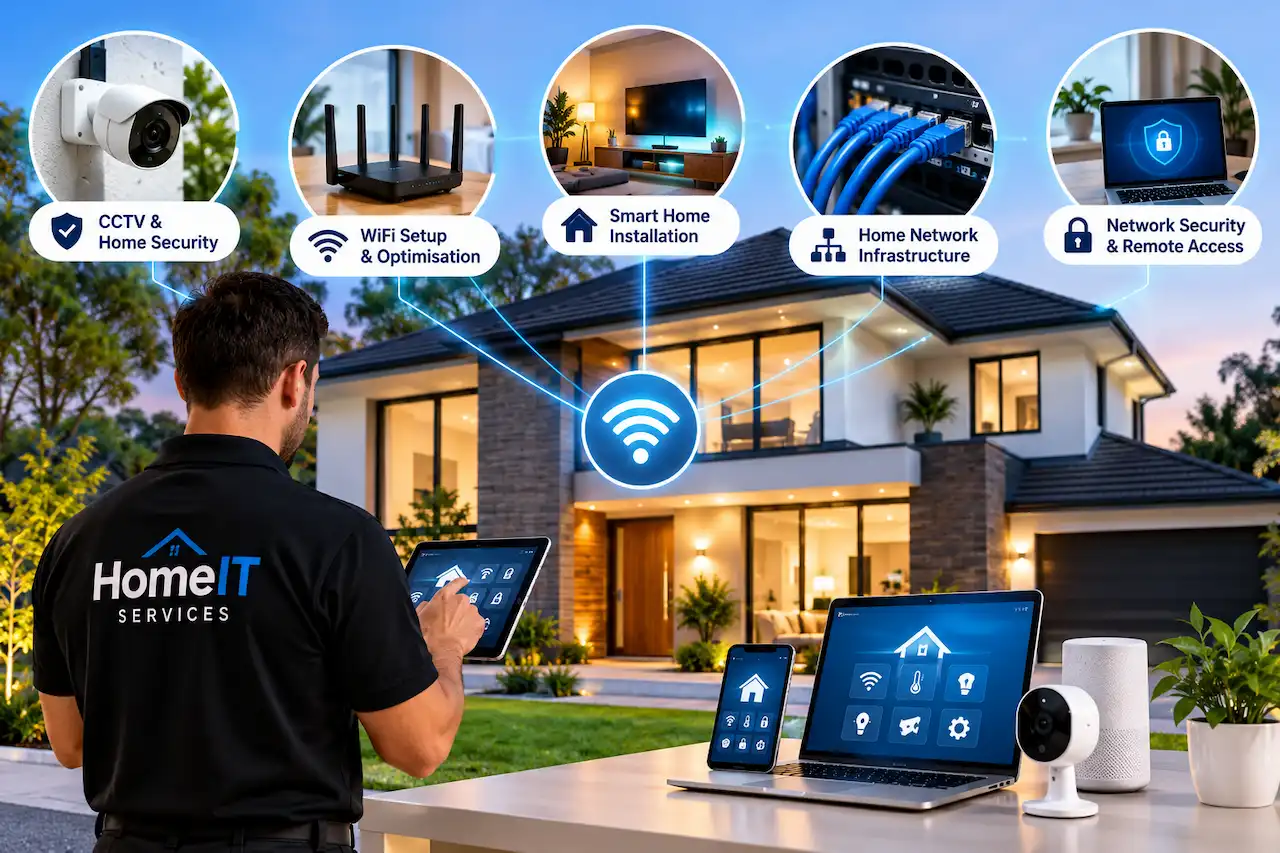
Modern homes depend on technology more than ever. From working remotely and streaming entertainment to managing smart heating and security cameras, a reliable home network has become an essential part of everyday life.
But when the WiFi keeps disconnecting, a smart device stops responding, or a security camera loses its connection, even simple activities can become frustrating.
These problems are not always easy to solve. A new router might not fix poor coverage, and adding more devices can sometimes make an existing network less reliable.
This is where professional home IT services can make a difference.
Whether you need help with home networking, WiFi optimisation, CCTV installation, or smart home automation, the right technical support can make your technology easier to use, more secure, and more dependable.
This guide explains what home IT services include, the problems they solve, and how homeowners across Essex can benefit from professional technology support.
What Are Home IT Services?
Home IT services involve installing, configuring, maintaining, and troubleshooting technology used in residential properties.
Unlike traditional business IT support, residential services focus on the devices and systems that homeowners rely on every day.
These may include broadband routers, wireless networks, computers, smart televisions, security cameras, connected lighting, and home automation equipment.
The goal is not simply to repair individual devices. It is to ensure that different technologies work together reliably.
For example, installing a smart security camera might seem straightforward. However, the camera also needs a stable network connection, secure account settings, suitable storage, and reliable power.
Professional home IT support considers these requirements together rather than treating each device as a separate problem.
Why Are Home IT Services Important for Modern Homes?
A typical household may have several smartphones, laptops, televisions, gaming consoles, and smart devices connected to the same network.
As more devices are added, the network must handle increasing demands without compromising performance or security.
Reliable Internet Throughout the Property
A broadband connection may work perfectly near the router but struggle to reach upstairs bedrooms or a garden office.
Professional network planning helps identify weak coverage areas and determine whether additional access points, mesh WiFi, or Ethernet cabling would provide better results.
Better Security for Connected Devices
Smart cameras, doorbells, speakers, and other connected devices can introduce security risks when they use outdated software or weak passwords.
Correct configuration, software updates, and network separation can help protect personal information and reduce unnecessary exposure.
Less Time Spent Troubleshooting
Repeatedly restarting routers, reconnecting devices, or searching for technical fixes can become time-consuming.
A properly configured system reduces avoidable problems and makes it easier to identify faults when they occur.
Technology That Works Together
Smart homes often contain products from several manufacturers.
Professional setup can help ensure compatible devices communicate correctly and that homeowners understand how to manage them.
1. Home WiFi Setup and Optimisation
Slow or unreliable WiFi is one of the most common technology problems in residential properties.
You might experience excellent speeds in the living room but weak connectivity in the kitchen, upstairs bedroom, or loft conversion.
Several factors can affect wireless performance, including router placement, building materials, neighbouring networks, and the number of connected devices.
A professional WiFi assessment examines these factors before recommending changes.
Common Home WiFi Problems
Homeowners frequently experience:
- Weak signals in upstairs rooms or extensions.
- Video calls freezing during remote work.
- Smart televisions buffering while streaming.
- Security cameras losing their network connection.
- Poor wireless coverage in garden offices.
Some issues can be resolved by repositioning the router or adjusting network settings.
Others require additional wireless access points, a mesh system, or a wired connection.
If your connection frequently slows down, understanding the causes of slow home WiFi can help you recognise when the problem needs more than a simple router restart.
Mesh WiFi vs Traditional Extenders
WiFi extenders can help improve coverage in individual weak spots, while mesh systems distribute wireless connectivity through multiple nodes.
For larger properties, professionally positioned access points connected through Ethernet may provide even more consistent performance.
The best option depends on the property’s layout, construction, and internet requirements.
2. Home Network Installation and Infrastructure
A reliable home network involves more than connecting a router to a broadband line.
Modern residential networks may include switches, wireless access points, Ethernet cabling, firewalls, and separate connections for smart devices.
These components work together to support reliable communication throughout the property.
Why Structured Cabling Matters
Ethernet cabling provides a dedicated connection between compatible devices and the home network.
It is particularly useful for equipment that requires stable connectivity, such as desktop computers, gaming systems, smart televisions, and network video recorders.
Unlike WiFi, wired connections do not experience radio interference from neighbouring wireless networks.
A combination of wired and wireless networking is often the most practical approach.
For homeowners planning an upgrade, home network infrastructure and structured cabling can provide a stronger foundation for future technology.
What Is Network Segmentation?
Network segmentation separates devices into different network groups.
For example, work laptops, guest devices, and smart home equipment can sometimes be placed on separate networks using VLANs.
This can improve network organisation and reduce the ability of a compromised device to communicate with other equipment.
However, segmentation must be configured correctly to avoid creating connectivity problems between devices that need to communicate.
3. Smart Home Installation and Automation
Smart home technology allows homeowners to control compatible lighting, heating, entertainment, and security systems through connected devices.
A smart home might automatically adjust the heating according to a schedule, switch lights on when movement is detected, or send notifications when someone approaches the front door.
These features can improve convenience and help homeowners manage their property more efficiently.
Common Smart Home Devices
Popular smart home technologies include intelligent thermostats, connected lighting, video doorbells, smart locks, voice assistants, and automated blinds.
However, buying several smart devices does not automatically create a reliable smart home.
Different products may use different wireless standards, applications, or communication protocols.
Professional installation can help homeowners choose compatible products and configure them to work together.
Why Network Quality Matters
Smart home devices often depend on consistent wireless connectivity.
A smart doorbell positioned outside a thick external wall may struggle to communicate with a router located at the opposite end of the house.
Similarly, a connected thermostat or lighting controller may become unreliable if the network frequently disconnects.
A well-planned network provides the foundation for dependable automation.
4. CCTV Installation and Home Security
Home security cameras can help homeowners monitor entrances, driveways, gardens, and other important areas.
Modern CCTV systems may include high-resolution cameras, night vision, motion detection, local recording, and remote smartphone access.
However, effective home security requires more than installing cameras in convenient positions.
Choosing the Right CCTV System
Wired cameras are often suitable for permanent installations because they can provide stable connections and continuous recording.
Wireless cameras offer more flexibility, particularly when running cables would be difficult.
The best choice depends on the property, camera locations, recording requirements, and available network infrastructure.
Camera Placement and Recording
Poorly positioned cameras may leave important areas unmonitored or capture footage without enough detail to be useful.
A professional installation considers viewing angles, lighting conditions, storage requirements, and potential blind spots.
Homeowners should also consider privacy responsibilities when cameras capture areas beyond their property boundaries.
For a more detailed explanation, explore our home CCTV installation guide, which covers planning, equipment, installation, and important considerations for UK homeowners.
5. Home Network Security and Online Protection
Every connected device creates another potential point of access to a home network.
While most modern routers include security features, incorrect settings and outdated software can increase the risk of unauthorised access.
Home network security focuses on protecting devices, accounts, and information from avoidable threats.
Essential Home Network Security Measures
A secure residential network should use strong WiFi encryption, unique passwords, updated router firmware, and appropriate firewall settings.
Remote administration should be disabled unless it is genuinely required and properly protected.
Where supported, multi-factor authentication adds another layer of protection to connected accounts.
Internet Filtering and Parental Controls
Families may also benefit from internet filtering and parental control systems.
These tools can help manage access to unsuitable websites, establish screen-time schedules, and apply age-appropriate restrictions.
However, parental controls should complement conversations about online safety rather than replace them.
The most effective approach combines technical safeguards with clear household expectations.
6. Remote Access and VPN Configuration
Remote access allows homeowners to connect securely to compatible home systems while away from their property.
For example, someone travelling for work may want to access files stored on a home computer or check a security system from another location.
However, opening network services directly to the internet can create unnecessary security risks.
How a Home VPN Helps
A Virtual Private Network, or VPN, can establish an encrypted connection between an authorised device and the home network.
When configured correctly, it can provide access to selected home resources without exposing those services directly to the public internet.
VPN setup requires careful attention to authentication, firewall rules, updates, and device permissions.
Homeowners who need access to files or connected equipment while travelling can benefit from professional remote access and VPN setup tailored to their network.
7. Home Computer and Device Troubleshooting
Not every home technology problem requires a complete network upgrade.
Sometimes the issue involves a laptop that cannot connect to WiFi, a printer that repeatedly goes offline, or a device that no longer communicates with other equipment.
These problems may result from outdated drivers, incorrect settings, software conflicts, or network configuration issues.
Common Device Problems
A computer may connect to the internet but fail to discover a wireless printer.
A smart television may stream slowly even when a nearby laptop performs well.
A video doorbell might disconnect after the router’s settings are changed.
These situations require troubleshooting to identify whether the fault lies with the individual device, the network, or the internet connection.
Professional IT support can help identify the underlying cause rather than relying on repeated temporary fixes.
8. VoIP and Modern Home Communication
Voice over Internet Protocol, commonly called VoIP, allows telephone calls to travel over an internet connection.
For some households, VoIP can provide an alternative to traditional telephone services.
Features may include call forwarding, voicemail, multiple handsets, and access to calling services through compatible applications.
However, call quality depends on a stable connection and suitable network configuration.
Power outages and broadband interruptions may also affect VoIP availability, so households should consider their emergency communication requirements.
A properly configured home network can help prioritise voice traffic and reduce interruptions during calls.
How Much Do Home IT Services Cost in Essex?
The cost of professional home IT services depends on the type of work, property size, equipment requirements, and installation complexity.
A straightforward router configuration will usually involve less work than installing Ethernet cabling across several floors.
Similarly, connecting one smart device is different from designing a complete home automation system.
| Service | Main Factors Affecting Cost |
| WiFi troubleshooting | Number of issues and diagnostic time |
| Mesh WiFi installation | Property size and number of nodes |
| Home network cabling | Cable routes, access, and connection points |
| Smart home installation | Device quantity and integration complexity |
| CCTV installation | Camera quantity, cabling, and recording equipment |
| VPN and network security | Existing equipment and configuration requirements |
| Device troubleshooting | Nature of the fault and time required |
Equipment purchases, specialist materials, and additional installation work may affect the final quotation.
Before agreeing to a project, ask for a clear explanation of the proposed solution, included equipment, and any ongoing subscription costs.
DIY Troubleshooting vs Professional Home IT Support
Some technology problems are simple enough to resolve without specialist assistance.
Restarting a router, updating a device, or checking a cable connection may restore normal operation.
However, repeatedly experiencing the same fault can indicate a more complex issue.
| Situation | DIY Approach | Professional Support |
| Router needs restarting occasionally | Often sufficient | Usually unnecessary |
| One device will not connect | Basic checks may help | Useful if unresolved |
| WiFi fails across several rooms | Limited improvement possible | Recommended |
| Installing multiple CCTV cameras | Possible with suitable skills | Often beneficial |
| Whole-home network cabling | Requires technical skills | Recommended |
| Secure VPN and VLAN configuration | Advanced setup | Often beneficial |
Professional support is particularly valuable when a problem affects several devices or when incorrect configuration could compromise network security.
How to Choose the Right Home IT Services Provider
Choosing a home IT provider should involve more than comparing prices.
Residential technology has different requirements from a typical office environment. A provider should understand how broadband, wireless networking, smart devices, and security systems interact inside a home.
Relevant Technical Experience
Look for experience with residential networks, wireless access points, structured cabling, and the technologies you plan to install.
Someone who understands the complete network can often identify problems that individual device installers overlook.
Clear Communication
Technical recommendations should be explained in language homeowners can understand.
A reliable provider should explain what is wrong, why a particular solution is appropriate, and what the work involves.
Practical Recommendations
Not every problem requires expensive new equipment.
Sometimes improving router placement, correcting a configuration issue, or replacing a faulty cable provides the necessary improvement.
Local Availability
Working with a local provider can make property assessments and installation appointments easier to arrange.
For example, homeowners seeking home IT support in Chelmsford may benefit from a provider familiar with residential networking requirements across the local area.
Professional Home IT Services Across Essex
HomeIT Services supports homeowners who want technology that works reliably without unnecessary complications.
From WiFi optimisation and structured networking to CCTV installation, smart home systems, and secure remote access, our services focus on practical solutions for everyday residential technology needs.
We understand that every home is different.
A flat in Southend-on-Sea may need better wireless coverage, while a larger property in Brentwood or Chelmsford might require additional network cabling, smart home integration, or a multi-camera security system.
With over 30 years of IT experience, HomeIT Services provides straightforward advice and technical support tailored to the property and its requirements.
Our approach begins with understanding the problem, assessing the existing setup, and recommending a suitable solution.
Whether you are upgrading an older home network or planning technology for a renovated property, professional guidance can help you avoid unnecessary equipment purchases and unreliable installations.
Need Reliable Home IT Support?
If your WiFi is unreliable, smart devices keep disconnecting, or you are planning a new home technology installation, HomeIT Services can help.
Contact HomeIT Services to discuss your requirements and find a practical solution for your property.
Get in Touch With HomeIT Services
Frequently Asked Questions
What do home IT services include?
Home IT services can include WiFi installation, home network setup, computer troubleshooting, smart home integration, CCTV installation, internet security, and remote access configuration.
Can home IT services improve slow WiFi?
Yes. Professional troubleshooting can identify whether slow WiFi results from poor router placement, interference, inadequate coverage, or another network problem. The appropriate solution depends on the cause.
Do I need professional help to install smart home devices?
Simple devices can often be installed independently. Professional support may be useful when integrating several systems, improving network reliability, or configuring advanced automation.
Are home IT services only for large properties?
No. Small flats, terraced houses, detached homes, and larger properties can all benefit from suitable IT support. The level of service depends on the equipment and problems involved.
Can a home IT specialist improve network security?
A home IT specialist can review router settings, WiFi encryption, device access, firewall configuration, and software updates to help reduce common security risks.
How do I know when my home network needs upgrading?
Frequent disconnections, poor coverage, overloaded equipment, and unreliable smart devices may indicate that the existing network needs attention. An assessment can determine whether an upgrade is necessary.
Does HomeIT Services cover Southend-on-Sea and Chelmsford?
Yes. HomeIT Services provides residential technology support across Essex, including Southend-on-Sea, Chelmsford, Brentwood, and surrounding areas.
Final Thoughts
Reliable home technology makes everyday life easier.
Whether you are working remotely, streaming entertainment, monitoring security cameras, or managing smart devices, your home network needs to support everything consistently.
Professional home IT services help identify technical problems, improve connectivity, and ensure that different devices work together securely.
The right solution is not always the newest router or the most expensive equipment. It is the setup that matches your property, your devices, and the way you use technology.
For homeowners across Essex, HomeIT Services provides practical assistance with networking, WiFi, CCTV, smart home automation, and related technology requirements.
Contact HomeIT Services to discuss your home technology needs.