
In this guide
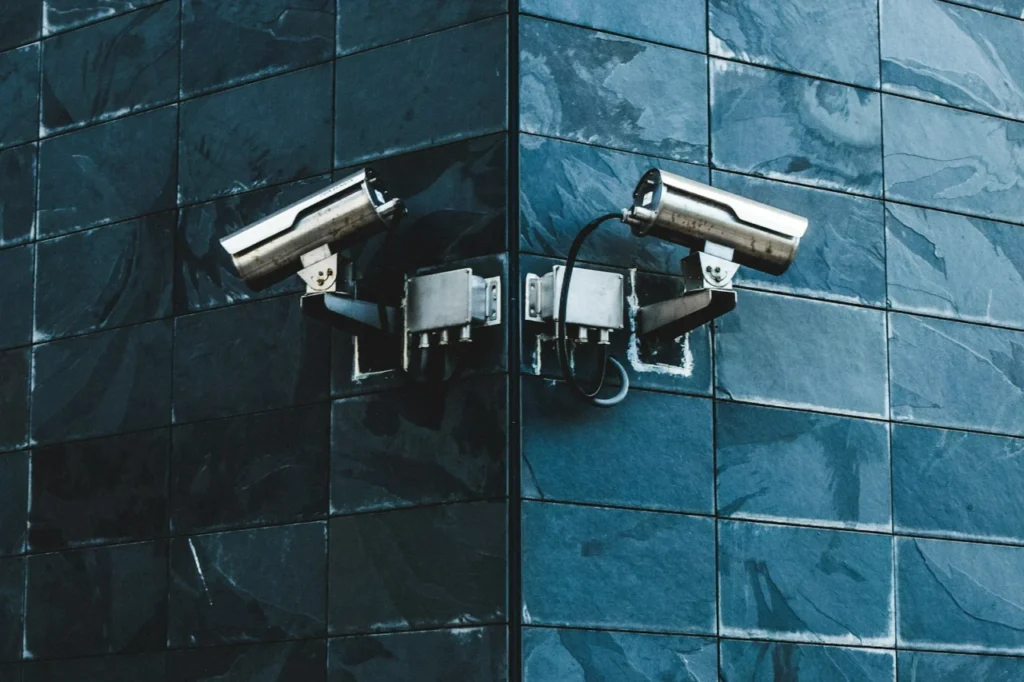
Short answer: put cameras where people actually have to pass: the front door, the driveway or path, the back door and any side access. Mount them roughly 2.5 to 3 metres up, angled down, out of direct sun and not pointing at the street or your neighbours. Good positioning matters more than buying more cameras.
A CCTV system is only as good as its camera positions. A beautiful 4K camera pointing at the wrong spot, or one blinded by the afternoon sun, records nothing useful. Planning the positions first, before buying or drilling, is the single most valuable step.
Start with how a burglar thinks
Most intruders use the front door, rear door, ground-floor windows or a side gate. Walk around your property and list every route in. Those entry points, not the overall size of your house, decide where cameras go.
The best positions, in order of priority
- Front door and approach. A doorbell camera, or a camera covering the path, records anyone who comes to the door.
- Driveway and parking. Covers vehicles and the route to the house.
- Back door and rear garden. Rear access is a common weak spot because it is hidden from the street.
- Side access and gates. Narrow passages are ideal for a camera, because everyone has to walk past it.
- Ground-floor windows. Especially any that are out of sight.
How high and at what angle?
Mount cameras about 2.5 to 3 metres above the ground. That is high enough to be out of easy reach but low enough to see faces. Angle them down slightly so that people walk toward the camera rather than underneath it, which gives you a clear view of the face.
How much detail do you need?
CCTV designers use four standard levels, often called DORI. They describe how many pixels cover each metre of the scene.
| Level | Pixels per metre | What you can do |
|---|---|---|
| Detect | 25 | Tell that a person is there |
| Observe | 62 | See clothing and general movement |
| Recognise | 125 | Recognise someone you already know |
| Identify | 250 | Identify an unknown person beyond doubt |
The practical lesson is that cameras covering doors and gates, where you want faces, should be close and tightly framed. Cameras covering a wide garden can be set to a lower level, because they only need to tell you something is happening.
Avoid the common mistakes
- Pointing at the sun. Low sunrise or sunset glare washes out the picture. Check the direction at different times of day.
- Infrared bounce. A camera mounted too close to a wall, soffit or bush reflects its own infrared light and whites out the night view.
- Poor lighting. Night vision is basic. Lighting gives better colour footage and deters intruders.
- Hidden behind foliage. Plants grow and block the view.
- Weak WiFi. For wireless cameras, check the signal where the camera will actually sit. Wired PoE avoids the problem completely.
Respect your neighbours and the law
Aim cameras at your own property. If the field of view includes a pavement, a neighbour’s window or garden, UK data protection rules may apply. Use privacy masking in the camera settings to black out areas that are not yours, and put up a clear sign. We explain more in home CCTV in Essex: what to know before you buy.
Weatherproofing and cabling
Choose cameras rated IP66 or IP67 for outdoor use. Run the cable neatly, protect connections from water and avoid leaving cable where it can be cut. A wired PoE system is far more reliable than relying on batteries or WiFi, as we explain in wired versus wireless CCTV cameras.
Storage planning matters just as much as placement, so read how long your footage will last. If you are weighing up a doorbell as well, see video doorbell versus CCTV, or our complete CCTV installation guide.
HomeIT Services surveys properties across Essex, plans camera positions on site and fits the system neatly. Take a look at CCTV and access control installation, or get in touch from Southend-on-Sea, Chelmsford or nearby.
Frequently asked questions
Typically around 2.5 to 3 metres, high enough to be out of easy reach but low enough to capture faces rather than the tops of heads.
Most homes need between two and four cameras covering the front door, driveway and rear access. The right number depends on the layout of your property.
It is best to avoid it. Cameras that record public areas or neighbours’ property can bring data protection duties. Position and mask them to focus on your own property.
Lighting helps. Many cameras have infrared night vision, but good lighting gives clearer, colour footage and also deters intruders.
Look for IP66 or IP67, which means the camera is protected against dust and heavy rain or short immersion.
Rather have it done properly?
Get a clear, fixed quote from a local engineer before any work starts.