

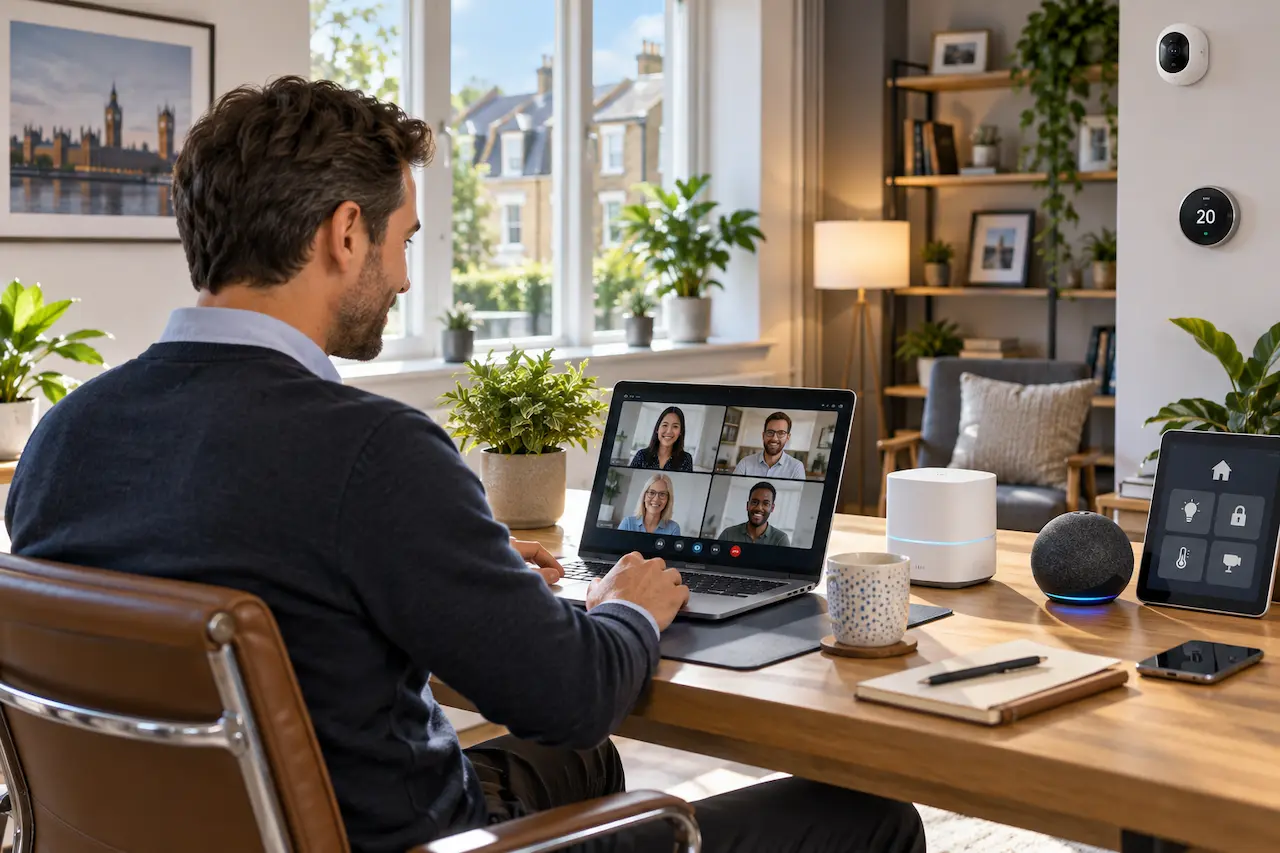
A reliable home network has become essential for modern living. Homes are no longer connected only through computers and phones. Today, families depend on smart televisions, security cameras, voice assistants, remote work systems, and connected devices that require consistent performance.
A poor network setup can create daily frustration. Video meetings freeze, smart devices lose connection, and important tasks become difficult to complete.
I have seen firsthand that many homeowners focus only on internet speed while ignoring the quality of their internal network. A fast internet package cannot perform properly if the home network is poorly designed.
At HomeIT Services, we help homeowners create reliable network environments that support modern technology, remote work, and smart devices with better stability and performance.
What Is a Home Network Setup?
A home network setup is the process of connecting and organising all devices within your property so they can communicate efficiently and access the internet securely.
A complete network includes more than just a router. It involves understanding how devices connect, where equipment should be placed, how data moves through your home, and how the system can support future technology.
A well-designed network considers:
- The size and layout of your property
- The number of connected devices
- Your internet usage requirements
- Security needs
- Future technology plans
A professional approach creates a network that works consistently instead of one that only performs well in certain areas.
Why Does Your Home Need a Professional Network Setup?
Many homeowners install routers themselves and expect the network to automatically provide full coverage and reliability.
While basic setups may work for smaller requirements, modern homes often need more planning.
Remote workers need stable connections for meetings and collaboration. Smart homes require dependable communication between devices. Security systems need reliable access at all times.
Without proper planning, homeowners often experience problems such as weak coverage, slow performance, and devices disconnecting unexpectedly.
I prioritize a strategy that focuses on long-term reliability rather than temporary improvements. A properly designed network saves time, reduces frustration, and creates a better technology experience throughout your home.
Home Network Setup for Remote Work
Remote work has changed the way homeowners use technology.
A home office now requires more than just a laptop and internet connection. Professionals depend on video meetings, cloud applications, file sharing, and secure access to work systems.
An unreliable network can affect productivity and create unnecessary stress.
A reliable setup ensures that your work devices receive consistent connectivity while other household devices continue operating normally.
For homeowners experiencing slow performance during work hours, understanding the difference between internet speed and network quality is important. Our guide on Slow Home WiFi explains why a fast connection does not always guarantee better performance.
Building a Network for Smart Home Devices
Smart technology has become a common part of modern homes.
Security cameras, smart lighting, heating controls, entertainment systems, and other connected devices all depend on a stable network.
As the number of devices increases, the importance of proper network planning also increases.
A weak setup may cause:
- Devices responding slowly
- Smart systems losing connection
- Security cameras becoming unreliable
- Difficulty managing connected technology
A professional network considers how devices communicate and ensures your infrastructure can support current and future needs.
Important Elements of a Reliable Home Network
Choosing the Right Network Equipment
The equipment used in your network has a major impact on performance.
A router designed for basic browsing may not be suitable for a home with multiple users, smart devices, and remote work requirements.
The right equipment depends on factors such as:
- Property size
- Number of devices
- Usage requirements
- Coverage expectations
The goal is not simply buying the most expensive equipment. The goal is selecting technology that matches your actual needs.
Creating Better Wireless Coverage
Wireless coverage is one of the biggest challenges in many homes.
A single router may not provide reliable performance throughout larger properties. Walls, floors, and building materials can affect signal strength.
A professional network design looks at where devices are used and creates coverage that supports everyday activities.
This approach is more effective than adding random solutions without understanding the underlying problem.
Improving Network Security
A reliable network must also be secure.
As more devices connect to your home network, protecting your information becomes increasingly important.
A secure network helps control access, protect connected devices, and reduce unnecessary risks.
Security should be considered during the initial setup rather than added only after problems occur.
Creating a Network That Supports Future Technology
A good home network should not only solve today’s problems. It should also support the technology you may add in the future.
Many homeowners install new devices over time without considering whether their existing network can handle the additional demand.
A well-planned setup provides flexibility for future upgrades such as:
- Additional smart home devices
- More security systems
- New work equipment
- Increased connected devices
This is why professional planning matters. The goal is to create a network foundation that continues working as your technology needs grow.
Our Network Infrastructure, VoIP & VLAN service helps homeowners build structured and reliable networks designed around their current and future requirements.
Common Problems Caused by Poor Home Network Design
Many network issues are not caused by the internet service itself. They happen because the internal setup was not designed correctly.
A poorly planned network can lead to inconsistent performance, difficult troubleshooting, and unreliable device connections.
Common problems include:
- Devices losing connection unexpectedly
- Weak performance in certain areas of the property
- Smart devices failing to communicate properly
- Difficulty managing multiple connected systems
These problems often become more noticeable as homeowners add more technology to their properties.
A professional network setup creates better organisation and makes it easier to manage connected devices efficiently.
Making Your Home Network Ready for Remote Access
Remote access has become increasingly important for homeowners who need secure control over their systems.
Whether managing files, accessing devices, or maintaining secure connections while away from home, the network needs to be configured correctly.
Security should always be considered when enabling remote access. A poorly configured system can create unnecessary risks.
Our Remote Access & VPN service helps homeowners establish secure connections while maintaining better control over their network environment.
Real World Example: Building a Better Home Network Experience
I have seen firsthand how the wrong network setup can affect everyday life.
A homeowner contacted us after experiencing unreliable connections while working from home. The internet speed was suitable, but video meetings were interrupted, and smart devices frequently lost connection.
After reviewing the network, we identified that the issue was not the internet provider. The problem was related to how the network was distributed throughout the property.
The existing setup was not designed around the homeowner’s actual needs. Important areas did not have consistent coverage, and connected devices were competing for resources.
By improving the network structure and creating a more suitable setup, the homeowner achieved a more reliable connection for both work and smart home technology.
This example shows why a professional approach is valuable. A network should be designed around how people use their homes, not just where the internet connection enters the property.
When Should You Consider Professional Home Network Support?
Basic router installation may be enough for simple internet use. However, professional support becomes valuable when your technology needs become more advanced.
You should consider professional assistance when you experience:
- Unstable connections during remote work
- Poor coverage in important areas
- Multiple smart devices requiring reliable connectivity
- Difficulty managing your current network
- Plans to expand your home’s technology systems
A professional assessment helps identify weaknesses and provides a solution based on your property rather than a generic setup.
For homeowners looking for local technology assistance, our IT Support Southend-on-Sea service provides professional guidance for improving home technology systems.
Why Choose Us?
We help homeowners create reliable technology environments through experience, practical solutions, and professional network planning.
- More than 30 years of IT experience helping homeowners solve technology challenges
- Network solutions designed around your property’s structure and requirements
- Professional advice focused on solving the actual cause of problems
- Support for remote work, smart homes, and connected technology
- Reliable service focused on long-term performance and security
Conclusion
A reliable home network is the foundation of modern technology use.
Remote work, smart devices, and connected systems all depend on a network that is properly planned and configured.
At HomeIT Services, we help homeowners create secure and dependable network solutions that support the way they live and work.
Frequently Asked Questions
What is included in a professional home network setup?
A professional setup includes planning your network structure, configuring equipment, improving coverage, and ensuring your devices can connect reliably.
Do I need a professional network setup for a smart home?
Smart homes often require stronger and more reliable networks because multiple devices communicate continuously. A professional setup helps maintain better performance.
Can a better network improve remote work performance?
Yes. A properly designed network can provide more stable connections for video meetings, cloud applications, and other remote work requirements.
Is a faster internet package enough for a reliable home network?
Not always. Internet speed and network performance are different. A poorly designed network can still create problems even with a fast connection.
How do I know if my home network needs improvement?
Frequent connection problems, weak coverage, and difficulty supporting connected devices are signs that your network may need professional attention.